
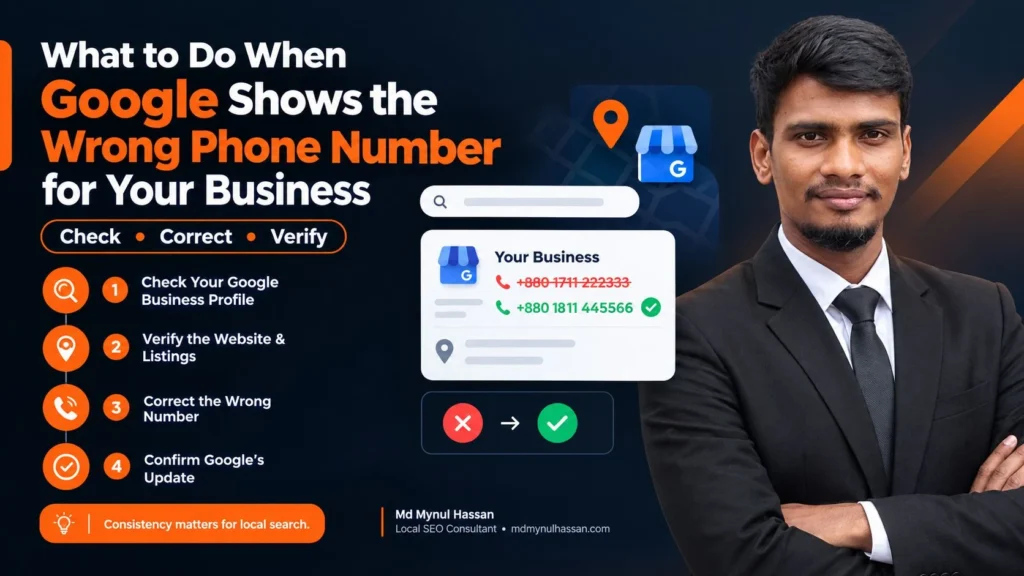
Google showing the wrong phone number for your business can lead customers to an old line, the wrong location, a tracking number, or another business entirely.
The best fix is not to keep changing the phone number repeatedly. First, identify where the incorrect number appears, determine which source is influencing that information, correct the relevant source, and then verify that the right number is displayed.
Google says Business Profile information can be updated from different sources, including information provided by users and other data sources. This means an incorrect number can sometimes return even after the business owner has edited the profile. Google’s Business Profile guidance explains how Google may update business information from multiple sources.
This guide explains how to diagnose and fix a wrong business phone number across Google Search, Google Maps, your website, external listings, structured data, and Google Ads.
Why Does Google Show the Wrong Phone Number?
There is more than one possible reason.
You are looking at the wrong Business Profile
This is particularly common with businesses that have:
- Multiple locations
- Similar business names
- Old profiles
- Duplicate listings
- Practitioner profiles
- Relocated offices
Before changing anything, confirm that the listing belongs to the exact business and location you manage.
Check the business name, address, category, website, and other identifying information before editing the phone number.
Google has updated the information
Google does not rely exclusively on information manually entered by a business owner.
Google explains that Business Profile information can be updated using information from different sources, including user contributions and other data sources.
That means the question is not always:
“Why didn’t my edit work?”
Sometimes the better question is:
“Where did Google get this other phone number?”
Finding that source can be the difference between a temporary correction and a lasting fix.
Your phone-number edit is pending
Business Profile edits are reviewed by Google before they are published.
Google says edits can be approved, rejected, or remain pending. Some changes may take longer to process than others.
You can review Google’s current instructions for editing your Business Profile before making another change.
A duplicate Business Profile exists
A duplicate profile can create a much bigger problem than an incorrect phone field.
For example, imagine this situation:
Current profile:
Business Name
123 Main Street
+1 555-111-1111
Old duplicate profile:
Business Name
123 Main Street
+1 555-222-2222
If the wrong profile is being surfaced, simply editing the correct listing may not address the underlying issue.
Your website still shows the old number
Your website may contain the old number in places you forgot about.
Check:
- Homepage
- Contact page
- Header
- Footer
- Location pages
- Service pages
- Booking pages
- Mobile navigation
- HTML source
- Structured data
A website-wide SEO audit can help identify these inconsistencies. My SEO Audit Service includes reviews of website structure, local SEO, internal linking, structured data, and business-information consistency.
An external business listing contains the wrong number
The old phone number may also exist on directories, review platforms, industry websites, local organizations, social profiles, or other business databases.
You do not need to update every low-quality website on the internet.
Prioritize important and relevant sources that clearly identify your business.
You are actually seeing a Google Ads number
This is an easy problem to misdiagnose.
The phone number shown in a paid advertisement may be controlled through Google Ads rather than the organic Business Profile.
If the organic Google Business Profile shows the correct number but an advertisement shows something different, inspect the advertising configuration before changing the Business Profile.
First Identify Where the Wrong Number Appears
Before changing anything, determine exactly where Google is showing the incorrect phone number.
| Location | First thing to check |
|---|---|
| Google Search Business Profile | Business Profile phone number and edit status |
| Google Maps | Correct profile, duplicate listings and phone information |
| Organic search result | Business Profile and Google-sourced information |
| Google Ads | Ad and location-asset settings |
| Website | Visible phone number and structured data |
| Directory | Listing information and business ownership |
This step saves time because different Google surfaces can use different information sources.
How to Fix the Wrong Phone Number on Google
Step 1: Call the number Google is displaying
Start with the evidence.
Call the number shown by Google and record what happens.
Does it:
- Reach your business?
- Reach an old office?
- Forward to another number?
- Reach another company?
- Go nowhere?
- Reach a tracking system?
- Reach the wrong business location?
This tells you exactly what problem you are trying to solve.
It is better to say:
“Google is displaying our previous office number”
than:
“Google’s phone number is wrong.”
The first description gives you a specific problem to investigate.
Step 2: Confirm the exact business profile
Search for the business using its name and location.
Then compare:
- Business name
- Address
- Website
- Category
- Photos
- Location
- Phone number
For a multi-location business, compare the address carefully.
A phone number can be correct for one location and incorrect for another.
Step 3: Check whether Google has changed the information
Google provides a mechanism for business information updates.
When a profile contains information that the owner did not enter, investigate whether Google has supplied or changed the value.
Google’s documentation on Business Profile updates explains that Google can use information from multiple sources when updating Business Profile information.
This is one of the most important steps in diagnosing why the wrong phone number keeps returning.
Step 4: Edit the Business Profile
Once you have confirmed the correct profile, update the phone information.
Google allows eligible businesses to edit their Business Profile through Google Search and Google Maps.
The general process is:
- Sign in to the account managing the profile.
- Search for the business on Google.
- Open the Business Profile management options.
- Select the business information or contact information.
- Update the phone number.
- Save the change.
- Check the status of the edit.
Google reviews Business Profile changes before they become part of the public profile.
Step 5: Use a number that genuinely belongs to the business
The phone number should represent the real business.
Google’s Business Profile guidelines explain that businesses should use a phone number that connects customers with the individual business location and that is under the business’s control.
This becomes especially important when dealing with:
- Call tracking
- Central call centers
- Franchise numbers
- Shared reception numbers
- Virtual numbers
- Multi-location organizations
A marketing number may be useful for attribution, but it should not automatically replace the genuine business contact number everywhere.
Step 6: Check the edit status
Do not assume that an unchanged Google result means the edit failed.
Review whether the change is:
Pending
Approved
Not approved
Google explains that edits may require review and that processing time can vary.
If the edit is still pending, avoid repeatedly submitting the same change without understanding why the existing edit has not been resolved.
Step 7: Audit your website
Now move beyond Google.
Search your own website for the old phone number.
You can use your browser’s Find function, a site crawler, or a manual review.
Check:
Homepage
Make sure the main contact number is correct.
Header
A common problem is an old number inside a persistent header element.
Footer
Old numbers often remain here because the footer is reused across the entire site.
Contact page
This should clearly display the current number.
Location pages
Every location should use its own correct contact information where appropriate.
Booking pages
Old numbers sometimes survive on appointment or enquiry pages.
Structured data
Check the telephone value used in relevant schema markup.
Your On-Page SEO Service can help with page-level content, internal links, structured data, headings, metadata, and information consistency.
Step 8: Check important external listings
Search the old phone number in Google using quotation marks.
For example:
“555-222-2222”
This can reveal pages that still publish the old number.
Review important results such as:
- Business directories
- Industry associations
- Review websites
- Social business profiles
- Local organizations
- Major citation platforms
- Relevant professional directories
Do not treat citation work as a numbers game.
The objective is accurate business information on relevant sources.
Step 9: Investigate duplicate profiles
Search Google Maps for the business name and address.
Look for:
- Another profile at the same address
- An old profile
- A profile with a slightly different name
- A closed or relocated listing
- Practitioner listings
- Duplicate business entries
If you discover a duplicate, do not automatically create another Business Profile.
You may need to resolve the existing profile structure instead.
Step 10: Check Google Ads
If the incorrect number appears only in an advertisement, review the related Google Ads configuration.
The organic profile and an advertisement do not necessarily use the exact same phone-number configuration.
This is why identifying the surface comes before making changes.
Why Does Google Keep Showing My Old Phone Number?
When the old number keeps returning, there is probably still an unresolved information source.
Common causes include:
1. An old website reference
A location page, footer, or hidden template still contains the previous number.
2. An external listing
A major directory or industry website continues to display the old number.
3. A duplicate profile
Another Business Profile contains the previous information.
4. Google-supplied information
Google has obtained different information from another source.
5. A pending or rejected edit
The new number has not yet become the published value.
6. An advertising configuration
The wrong number exists in Google Ads rather than the organic profile.
The important point is that a returning phone number should trigger source investigation, not endless editing.
Use a Phone Number Consistency Audit
A simple audit table can make the problem much easier to manage.
| Property | Correct number | Number found | Action |
|---|---|---|---|
| Google Business Profile | +1 555-111-1111 | +1 555-222-2222 | Update |
| Google Maps | +1 555-111-1111 | +1 555-222-2222 | Investigate profile |
| Website header | +1 555-111-1111 | Correct | Keep |
| Contact page | +1 555-111-1111 | +1 555-222-2222 | Update |
| Schema | +1 555-111-1111 | +1 555-222-2222 | Update |
| Directory A | +1 555-111-1111 | +1 555-222-2222 | Correct |
| Directory B | +1 555-111-1111 | Correct | Keep |
| Google Ads | +1 555-111-1111 | Different | Review Ads |
This creates a clear record of where the problem exists.
It also helps you distinguish between:
A Google problem
and
a wider business-information consistency problem.
Should the Phone Number in Schema Match Google Business Profile?
Yes.
Your website’s structured data should accurately describe the business information shown to users.
Google’s Local Business structured-data documentation includes telephone as a property for communicating the primary phone number of a business.
See Google’s Local Business structured data documentation for the current requirements and supported properties.
However, there is an important limitation:
Schema markup does not directly control your Google Business Profile phone number.
If your Business Profile contains the wrong number, changing only the schema does not fix the underlying profile.
The correct sequence is:
Business Profile → Website → Structured Data → Important External Listings → Verification
Structured data should reinforce the correct entity information, not attempt to replace it.
For businesses that need broader technical checking, my Technical SEO Service covers areas such as structured data, XML sitemaps, internal linking, crawling, indexing, redirects, and website architecture.
A Special Case: Law Firm Phone Numbers and Schema
Law firms often have a more complex entity structure than a simple local business.
A law firm website may contain:
- The law firm
- Individual attorneys
- Legal services
- Practice areas
- Office locations
- Service areas
- The firm’s website
- Articles and guides
That means the schema should describe genuine relationships between those entities.
LegalService
Schema.org defines LegalService as a business that provides legal services.
For a law-firm website, LegalService can represent the firm where it accurately reflects the business.
Organization
Organization can describe the broader business entity and relevant information such as its name, URL, contact details, and social profiles where appropriate.
Person
Individual lawyers can be represented using Person.
For example:
Attorney → worksFor → Law Firm
Schema.org supports the worksFor relationship for connecting a person with an organization.
Service
Individual legal services can be represented using Service where the page genuinely describes a service.
For example:
Personal Injury Service → provider → Law Firm
Location
A physical office should accurately represent its genuine location.
This allows the website’s entity model to distinguish between:
Firm
Attorney
Legal Service
Office
Website
Article
Rather than presenting everything as one generic business object.
For a more detailed implementation guide, see my article on Law Firm Schema Markup.
The key rule remains the same:
Schema should describe what is actually visible and true on the website.
Do not add unsupported offices, lawyers, services, awards, reviews, or locations simply because a schema property exists.
How Internal Linking Supports Business Information
Internal links help connect related information across your website.
For example, a page about a wrong Google phone number can naturally connect to:
- Local SEO
- Google Business Profile optimization
- SEO audits
- Technical SEO
- Structured data
- Local business information
- Related Google Business Profile problems
Your website’s internal linking should help both users and search engines understand how those pages relate.
Your SEO Content Strategy and Writing Service focuses on connecting content, search intent, topic clusters, internal links, semantic coverage, and conversion opportunities.
A broader Keyword Research Service can also help identify related searches and supporting topics around Local SEO and business-information problems.
What If Google Still Shows the Wrong Number?
If you have already corrected the profile and the problem continues, document the issue before escalating it.
Prepare:
- Screenshot of the incorrect number in Google Search.
- Screenshot of the number in Google Maps if it is different.
- Screenshot of the Business Profile edit status.
- The correct phone number.
- Website pages showing the correct number.
- Evidence of the business’s relationship with the number where appropriate.
- Information about duplicate profiles.
- Important external pages that still show the old number.
- Details of whether the incorrect number appears in organic results or an advertisement.
The more precisely you document the problem, the easier it is to explain what needs correction.
Common Mistakes When Fixing a Wrong Google Phone Number
Changing the number repeatedly
Repeated editing does not reveal where the wrong information originated.
Editing the wrong profile
Always confirm the address and business identity first.
Ignoring Google Ads
A paid advertisement can display different information from the organic Business Profile.
Updating only Google
If the website and major external sources still contain the old number, the wider problem remains.
Creating another Business Profile
This can create another duplicate rather than solve the original problem.
Keeping an outdated number in schema
Structured data should match the current business information.
Using an unsupported phone number
The phone number should genuinely connect customers with the business or appropriate business location.
Checking only the homepage
The old number may exist on another location page, booking page, service page, or footer.
Assuming schema will force Google to change
Schema helps communicate structured information. It does not function as a direct editing mechanism for Google Business Profile.
Final Wrong Phone Number Checklist
Before considering the problem resolved, check every item below:
- I called the number Google displays.
- I confirmed exactly where the wrong number appears.
- I confirmed the correct Business Profile.
- I checked the business name and address.
- I reviewed the Business Profile phone number.
- I checked the edit status.
- I investigated Google-supplied updates.
- I checked for duplicate profiles.
- I checked Google Maps separately.
- I checked Google Ads if applicable.
- I searched the website for the old number.
- I checked the header and footer.
- I checked contact and location pages.
- I checked structured data.
- I reviewed important external listings.
- I verified the final number in Google Search.
- I verified the final number in Google Maps.
- I saved evidence before escalating the issue.
How to Prevent the Problem From Returning
The best prevention is consistent business information.
Keep the primary business details aligned across your:
Google Business Profile
Website
Important directories
Location pages
Social profiles
Advertising assets
Structured data
The goal is not to create hundreds of identical listings.
The goal is to make the business identity clear and accurate across the important places where customers and search systems encounter it.
This is one reason Local SEO should be treated as a connected discipline rather than a single Google Business Profile field.
For businesses working on broader search visibility, my AEO & GEO Consulting also covers entity consistency, business-information clarity, structured data, third-party profile consistency, and AI-search visibility.
My recent guide on How to Write a Google Business Profile Description That AI Tools Can Understand covers another part of the same Business Profile information system.
And if the issue is related to a business move, my guide on Why Your Google Business Profile Shows an Old Address After You’ve Moved covers a closely related source-consistency problem.
See How Search Visibility Work Can Be Connected to Real Business Problems
A wrong Google phone number may be an isolated profile problem, but it can also reveal larger issues involving website structure, local information, technical SEO, citations, duplicate profiles, or inconsistent entity data.
I’m Md Mynul Hassan, an SEO, AEO, GEO and Brand Visibility Specialist based in Bangladesh, working remotely with businesses in Bangladesh and international English-speaking markets.
My approach connects SEO Audits, technical SEO, Local SEO, Google Business Profile optimization, content strategy, internal linking, AEO and GEO rather than treating each problem as an isolated task.
You can also review relevant SEO case studies to see examples of search visibility work across different business types.
Marketplace and Social Profiles
You can find Md Mynul Hassan on these platforms:
Hire Md Mynul Hassan on Upwork
Hire Md Mynul Hassan on Freelancer.com
Connect with Md Mynul Hassan on LinkedIn
Subscribe to Md Mynul Hassan on YouTube
Follow Md Mynul Hassan on Facebook
Frequently Asked Questions
How do I change the phone number on my Google Business Profile?
Sign in to the Google account managing the Business Profile, open the profile in Google Search or Maps, edit the contact information, enter the correct phone number, save the change, and monitor the edit status. Google reviews Business Profile edits before publication. Google Business Profile Help
Why is my Google Business Profile phone number not updating?
The edit may be pending or rejected, or Google may be displaying information obtained from another source. Check the edit status and investigate other sources of business information before submitting repeated changes.
Can Google change my business phone number?
Yes. Google explains that Business Profile information may be updated from multiple sources, including user contributions and other sources of business information. Google Business Profile updates
Why does Google keep showing my old phone number?
The old number may still exist on your website, an important directory, a duplicate Business Profile, another Google information source, or an advertising configuration. Find the source before repeatedly editing the Business Profile.
How do I fix a wrong phone number on Google Maps?
Confirm that the Maps listing represents the correct business and location, then update the Business Profile if you manage it. Also investigate duplicate listings and conflicting business information if the old number continues to appear.
Why does Google show a different phone number in an advertisement?
A Google advertisement can use a phone-number configuration that is separate from the organic Business Profile. Check the relevant Google Ads configuration before changing your organic business listing.
Should my website schema use the same phone number as Google Business Profile?
Your structured data should accurately represent the business’s current primary contact information. Google’s Local Business documentation supports the telephone property for business structured data. Local Business structured data
Can schema markup force Google to display the correct phone number?
No. Schema describes information about an entity. It does not provide a direct control mechanism for changing the phone number shown in a Google Business Profile.
How long does a Google Business Profile phone change take?
Google reviews Business Profile edits, and processing time can vary. A pending change should be checked before assuming that the update has failed. Google’s edit guidance
The Practical Fix
When Google shows the wrong phone number, do not start by changing the number repeatedly.
Start by identifying where the wrong number appears.
Then:
Confirm the business profile → identify the source → correct the authoritative information → clean important conflicts → check duplicates → verify Search and Maps → monitor the result.
That process is more reliable than treating the problem as a single phone-field edit.
The important principle is simple:
Find the source of the wrong number before trying to fix the number itself.