
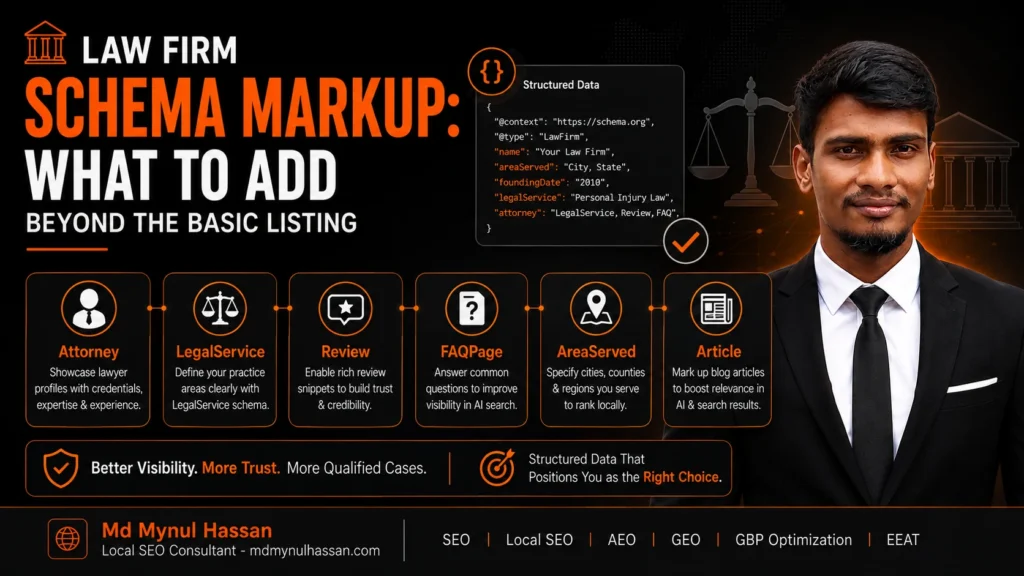
Law firm schema markup should describe more than the firm’s name, address and phone number.
A useful implementation should help machines understand the relationships between the law firm, its legal services, attorneys, offices, website, individual pages and service areas.
For most firms, that means looking beyond a generic Organization block and considering LegalService, Person, Service, location entities, WebSite, WebPage, Article and BreadcrumbList where those types accurately describe the visible website.
Schema.org currently defines LegalService as a business that provides legally oriented services, including law firms. It is a subtype of LocalBusiness and Organization.
There is another important update: Schema.org currently marks the Attorney type as deprecated and describes LegalService as the more inclusive and less ambiguous alternative.
The goal is not to add as much schema as possible. The goal is to make the firm’s real-world entities and their relationships unambiguous.
What Is Law Firm Schema Markup?
Law firm schema markup is structured data that describes a legal business, its people, services, locations and webpages in a machine-readable format such as JSON-LD.
A basic listing may identify a firm’s name, URL, telephone number and address. A stronger implementation can also describe which attorneys work for the firm, which legal services it provides, which locations it operates from, which geographic areas it serves and which webpage represents each entity.
Google explains that structured data provides explicit clues about the meaning of page content and can help Google understand the information presented on a website. It can also make pages eligible for certain search enhancements, although Google does not guarantee that structured data will appear as a rich result.
That distinction matters for law firms. Schema is an understanding and classification layer. It is not a substitute for useful legal content, a technically accessible website, strong reputation signals or good search visibility.
Why a Basic Law Firm Listing Is Not Enough
Consider a firm with five attorneys, three practice areas and two offices.
A single block containing:
- Firm name
- Address
- Phone
- Website
- Logo
may identify the business, but it doesn’t adequately communicate the wider structure.
A better model can represent something closer to:
Law Firm → provides → Legal Services
Attorney → works for → Law Firm
Law Firm → has location → Office
Service → areaServed → Jurisdiction
WebPage → describes → Service
Article → author → Person
These relationships give search engines structured context instead of a collection of disconnected facts.
This is where @id becomes useful. Rather than creating five separate descriptions of the same firm, you can give the primary firm entity a stable identifier such as:
https://example.com/#law-firm
Other schema nodes can then reference that entity.
The result is easier to maintain and makes the intended relationships explicit.
The Core Schema Types a Law Firm Should Consider
There is no universal schema stack that every law firm must deploy. The correct types depend on the firm’s actual website, business model, locations and content.
| Schema type | Main purpose | Typical use |
|---|---|---|
LegalService | Describes a legal service provider | Firm-level legal business |
Organization | Describes the broader organization | Brand/entity information |
Person | Describes an individual | Attorney profile pages |
Service | Describes a service | Practice-area/service pages |
Place / location entities | Describes physical places | Offices |
WebSite | Describes the website | Site-level identity |
WebPage | Describes an individual page | Page-level relationships |
Article / BlogPosting | Describes published content | Legal guides and articles |
BreadcrumbList | Describes breadcrumb navigation | Pages with visible breadcrumbs |
Google recommends using the most specific applicable organization subtype and adding properties that genuinely apply to the organization.
Legal Service
For a law firm itself, LegalService is usually the most important type to investigate.
Schema.org defines it specifically for businesses providing legal services and says it can describe law firms as legal-service providers.
A simplified example:
{
  "@context": "https://schema.org",
  "@type": "LegalService",
  "@id": "https://example.com/#law-firm",
  "name": "Example Law Firm",
  "url": "https://example.com/",
  "telephone": "+1-000-000-0000",
  "address": {
    "@type": "PostalAddress",
    "streetAddress": "REAL ADDRESS",
    "addressLocality": "CITY",
    "addressRegion": "STATE",
    "postalCode": "POSTCODE",
    "addressCountry": "US"
  }
}
Every value should reflect information actually presented by the firm. Do not insert an office address merely because you want local relevance.
Organization
Organization is useful for representing the broader firm or brand entity and its administrative details.
Google’s Organization documentation recommends properties such as the organization’s name, URL, logo, address, telephone number and sameAs references where applicable.
A firm may therefore have an organization-level entity that is referenced by other nodes.
The key is avoiding contradictory duplicate entities.
For example, if your homepage defines:
https://example.com/#organization
as one firm, your attorney pages should not casually create a different firm entity with a different name, URL and address.
Person for Attorneys
Individual lawyers are people, so Person is highly useful for attorney profile pages.
Useful properties can include:
nameurlimagejobTitleworksFortelephoneemailsameAsknowsAboutalumniOfhasCredentialwhere appropriate and supported
Schema.org’s Person type supports relationships such as worksFor and workLocation.
A simple relationship can look like:
{
  "@type": "Person",
  "@id": "https://example.com/attorneys/jane-smith/#person",
  "name": "Jane Smith",
  "jobTitle": "Managing Partner",
  "url": "https://example.com/attorneys/jane-smith/",
  "worksFor": {
    "@id": "https://example.com/#law-firm"
  }
}
This is much clearer than describing the attorney as an isolated entity.
Is Attorney Schema Still Appropriate?
For new implementations, I would not build a law firm’s schema strategy around the deprecated Attorney type.
Schema.org’s latest release explicitly marks Attorney as deprecated and points toward LegalService as the more inclusive option.
That does not mean attorney pages should lose structured data.
It means the individual lawyer and the legal business should be modelled carefully with current schema vocabulary, particularly Person for the individual and LegalService for the law firm where appropriate.
This is one area where older SEO articles can become misleading because the recommendations may reflect an earlier Schema.org model.
Service for Practice Areas
A practice-area page can be represented with Service when the visible page genuinely describes a service.
For example:
{
  "@type": "Service",
  "@id": "https://example.com/personal-injury/#service",
  "name": "Personal Injury Legal Services",
  "serviceType": "Personal Injury Law",
  "provider": {
    "@id": "https://example.com/#law-firm"
  },
  "areaServed": {
    "@type": "Place",
    "name": "REAL SERVICE AREA"
  }
}
Schema.org’s Service type supports properties including provider, serviceType and areaServed.
This creates a useful semantic connection:
Service → provider → Law Firm
and:
Service → areaServed → Geographic Area
Do not mark up every keyword-rich practice area as a separate service if the website doesn’t actually present it as a service.
Location and Physical Offices
A physical office is different from a service area.
A firm might have one office in New York but serve clients across several counties. The physical office should not be confused with the geographic scope of the firm’s services.
A location entity can describe the actual office, while areaServed can describe the real territory served.
Schema.org’s Place supports geographic information such as geo, while areaServed is intended to describe the geographic area in which a service or offered item is provided.
This distinction is particularly important for local law firms.
WebSite and WebPage
Your website is not the same entity as your law firm.
The firm is the organization. The website is the digital property representing it.
A webpage is a specific document within that site.
That gives you a relationship structure such as:
Law Firm
   ↓
Website
   ↓
WebPage
   ↓
Legal Service
The article page can then describe the author, publisher, topic and navigation without pretending that the article itself is the law firm.
BreadcrumbList
If the website displays breadcrumbs such as:
Home > Practice Areas > Personal Injury
the BreadcrumbList can describe that visible hierarchy.
Google says breadcrumb structured data can help Search understand where a page sits within the site’s hierarchy.
The schema should match the actual visible breadcrumb trail.
How to Connect the Entities With JSON-LD
The biggest upgrade beyond basic law firm schema is not necessarily adding more properties.
It is creating relationships.
Here is a simplified example:
{
  "@context": "https://schema.org",
  "@graph": [
    {
      "@type": "LegalService",
      "@id": "https://example.com/#law-firm",
      "name": "Example Law Firm",
      "url": "https://example.com/",
      "logo": "https://example.com/logo.png",
      "telephone": "+1-000-000-0000"
    },
    {
      "@type": "Person",
      "@id": "https://example.com/attorneys/jane-smith/#person",
      "name": "Jane Smith",
      "jobTitle": "Managing Partner",
      "url": "https://example.com/attorneys/jane-smith/",
      "worksFor": {
        "@id": "https://example.com/#law-firm"
      }
    },
    {
      "@type": "Service",
      "@id": "https://example.com/personal-injury/#service",
      "name": "Personal Injury Legal Services",
      "provider": {
        "@id": "https://example.com/#law-firm"
      },
      "serviceType": "Personal Injury Law"
    }
  ]
}
This example intentionally uses placeholders.
A real implementation should only include facts that are true and supported by visible website content.
Why Shared IDs Matter
Suppose your homepage, attorney page and practice-area page each describe the same firm separately.
Without identifiers, you risk creating several loosely related entities that happen to have the same name.
With shared @id values, you can reference the same firm node:
"provider": {
  "@id": "https://example.com/#law-firm"
}
and:
"worksFor": {
  "@id": "https://example.com/#law-firm"
}
That does not magically create rankings. It simply makes your intended entity relationship clearer.
What Law Firm Schema Should Appear on Different Pages?
A common implementation mistake is copying the exact same large schema block onto every URL.
A better approach is page-specific.
| Page | Useful schema to consider |
|---|---|
| Homepage | LegalService, Organization, WebSite |
| About page | Organization, LegalService, relevant Person |
| Attorney profile | Person, WebPage, BreadcrumbList |
| Practice-area page | Service, WebPage, BreadcrumbList |
| Office/location page | Relevant business/location entity, WebPage, BreadcrumbList |
| Blog article | Article/BlogPosting, Person, Organization, BreadcrumbList |
| Contact page | Relevant organization/location/contact information |
| FAQ content | Visible questions and answers, plus appropriate page markup |
Google’s Article documentation recommends adding the properties that actually apply to the page rather than treating every field as mandatory.
Law Firm Schema Markup and Local SEO
Schema should support local SEO rather than attempt to create a location that does not exist.
For a real physical office, the structured data should agree with the address shown on the website and other important business references.
Google also separates structured data from claiming and managing a Business Profile. A firm’s Google Business Profile remains an important source of local business information and is not replaced by website schema.
This is why I treat schema as one component of the broader technical and local SEO system.
On a law firm website, that means connecting:
Website → LegalService → Office → Attorneys → Services → Relevant Pages
while keeping the actual business information consistent.
Common Law Firm Schema Mistakes
Using Deprecated Attorney Schema as the Foundation
Older tutorials may recommend Attorney as the primary business type.
Schema.org currently marks it deprecated. A new implementation should be built using current types that accurately model the firm and its lawyers.
Adding Fake Locations
A law firm should not add cities, offices or addresses simply because those locations have search demand.
Schema should describe the real business.
Marking Up Services the Website Does Not Actually Describe
Don’t create twenty Service entities because a keyword tool produced twenty practice-area terms.
The structured data should correspond to genuine visible services.
Creating Multiple Firm Entities
If every page creates a different organization with inconsistent names, addresses and URLs, the schema becomes harder to interpret and maintain.
Use stable identifiers and consistent information.
Adding Properties That Are Not Supported
Do not invent properties because a schema generator, plugin or SEO article recommends them.
Verify the property’s definition in Schema.org and make sure the property’s value matches the expected type.
Marking Up Invisible Information
Google’s structured-data guidance requires markup to represent page content accurately.
If a page says nothing about an office, do not create elaborate office details solely inside JSON-LD.
Expecting Schema Alone to Improve Rankings
Google explicitly says structured data does not guarantee rich-result appearance. Correct markup should therefore be treated as part of technical SEO rather than a standalone ranking tactic.
Using FAQ Schema for the Wrong Reason
FAQ content can still be useful to users, but Google removed FAQ rich results from Search in 2026. That means law firms should not publish FAQs purely to chase an FAQ SERP enhancement.
The questions should exist because they help potential clients understand the topic.
How to Validate Law Firm Schema Markup
Use a simple validation process after implementation.
1. Check the Schema.org Vocabulary
Confirm that every type and property exists and is being used in a valid relationship.
2. Test the JSON-LD
Run the page through Google’s Rich Results Test where the relevant structured-data feature is supported, and use the Schema Markup Validator for broader Schema.org validation.
Google recommends validating structured data, fixing critical errors, deploying it, and then checking how Google sees the page through URL Inspection.
3. Compare Markup With Visible Content
Check:
- Firm name
- URL
- Telephone
- Address
- Office information
- Attorney names
- Job titles
- Services
- Service areas
- Author information
- External profile links
Everything should agree.
4. Check Entity Relationships
Ask:
- Does each attorney point to the correct firm?
- Does each service point to the correct provider?
- Does each office represent a real location?
- Are page URLs correct?
- Are IDs reused consistently?
5. Monitor Changes
Schema can become inaccurate when a firm changes offices, attorneys, branding, telephone numbers or services.
A six-month-old JSON-LD block may become wrong even though it still passes a syntax test.
Law Firm Schema Markup Checklist
Before publishing, check the following:
-
LegalServiceaccurately represents the legal business. - Organization information is consistent.
- Firm URL is canonical and correct.
- Real contact information is used.
- Real office locations are represented accurately.
- Individual attorney pages use suitable
Personmarkup. - Attorneys are connected to the firm.
- Practice-area services are marked up only where appropriate.
-
providerpoints to the correct firm. -
areaServedreflects actual service coverage. - Website and webpage relationships make sense.
- Breadcrumb markup matches visible breadcrumbs.
- Article markup identifies the genuine author.
-
sameAslinks point to legitimate profiles where used. - No fabricated ratings, reviews, locations or credentials are present.
- Deprecated
Attorneyusage has been reviewed. - JSON-LD has been validated.
- Visible content and schema agree.
When a Law Firm Should Get a Technical Schema Audit
Schema problems are often symptoms of larger technical issues.
A law firm’s markup can look valid while the underlying website has:
- indexation problems
- duplicate URLs
- poor internal linking
- incorrect canonicals
- weak service-page architecture
- JavaScript rendering problems
- sitemap issues
- inconsistent location pages
- conflicting business information
That is why schema work makes the most sense as part of a broader technical SEO service when the site’s underlying architecture also needs attention.
I approach technical SEO by looking at crawling, indexing, canonicals, redirects, structured data, internal linking and site architecture together rather than treating a schema warning as an isolated issue.
For a wider diagnostic view, my SEO audit service can be used to identify which technical issues deserve attention first.
A Better Way to Think About Law Firm Schema
The most useful mental model is not:
“Which schema plugin should I install?”
It is:
“What real-world entities exist, and how are they related?”
A law firm website normally contains several important entities:
Firm
The organization providing legal services.
Attorneys
The people who work for the firm.
Services
The legal services or practice areas offered.
Locations
Physical offices and, where appropriate, service areas.
Website
The firm’s digital presence.
Webpages
Documents describing the firm, lawyers and services.
Articles
Educational content authored by identifiable people.
Once those relationships are clear, JSON-LD becomes a way to express the model.
That is much more useful than adding a large schema block simply because a plugin says a page is missing a field.
For law firms, this also connects naturally with Local SEO strategy, On-Page SEO, keyword research, and Google Business Profile optimization.
The strongest implementation is usually the one where the website, content, business information and structured data tell the same story.
Frequently Asked Questions
What schema should a law firm use?
A law firm should consider LegalService for the legal business, Person for individual attorneys, Service for genuine legal services or practice areas, and relevant website, webpage, location, article and breadcrumb types where those entities are actually represented.
Is Attorney schema deprecated?
Yes. Schema.org’s current release marks Attorney as deprecated and describes LegalService as the more inclusive and less ambiguous option. Individual attorney pages can still be represented using Person and linked to the firm with relationships such as worksFor.
Should a law firm use both Organization and LegalService?
It depends on how the site’s entities are modelled. LegalService is a subtype of Organization, so there is no reason to create contradictory duplicate representations. The important requirement is that the schema accurately describes the firm’s real identity and relationships.
Should attorneys have their own schema?
Yes, when the website has genuine attorney profile pages. Person is appropriate for representing the individual and can connect the lawyer to the firm through relationships such as worksFor.
Should law firm practice areas use Service schema?
A Service entity can be appropriate when a practice-area page genuinely describes a legal service. Schema.org supports provider, serviceType and areaServed for services.
Does law firm schema improve Google rankings?
Schema can help Google understand page and organization information, and some structured-data types can make pages eligible for enhanced search appearances. However, Google does not guarantee rich results from correct markup, and structured data should not be treated as a guaranteed ranking factor.
Does FAQ schema still produce FAQ rich results for law firms?
No. Google removed the FAQ rich-result feature from Search in 2026. Law firms can still publish useful FAQs, but they should not expect FAQPage markup to create the former FAQ expansion in normal Google Search results.
How should a law firm connect an attorney to the firm?
Use a Person entity for the attorney and reference the law firm’s stable @id through worksFor. This makes the relationship explicit rather than repeating the firm’s information inside every attorney node.
Can schema describe multiple law firm offices?
Yes, where multiple real offices exist. The physical office should be represented accurately, while the firm’s broader areaServed should describe the geographic area where services are genuinely provided. These concepts should not be confused.
Final Takeaway
Good law firm schema markup is not about finding the largest possible JSON-LD template.
It is about accurately representing the business behind the website.
Start with the firm. Then connect its attorneys, legal services, physical locations, website and important pages. Use stable identifiers, current Schema.org vocabulary and information that visitors can actually verify on the site.
Then validate the implementation and check it whenever the firm changes its people, services, locations or website architecture.
For firms with deeper technical problems, schema should be reviewed alongside technical SEO implementation, website speed optimization, WordPress SEO, and SEO content strategy.
I also publish practical SEO and search-visibility work through my LinkedIn profile, YouTube channel, and Facebook page.
For professional projects, you can also view my Upwork profile or Freelancer.com profile.
The practical objective is simple: make the website easier for people, search engines and other systems to understand without making claims the business cannot support.