
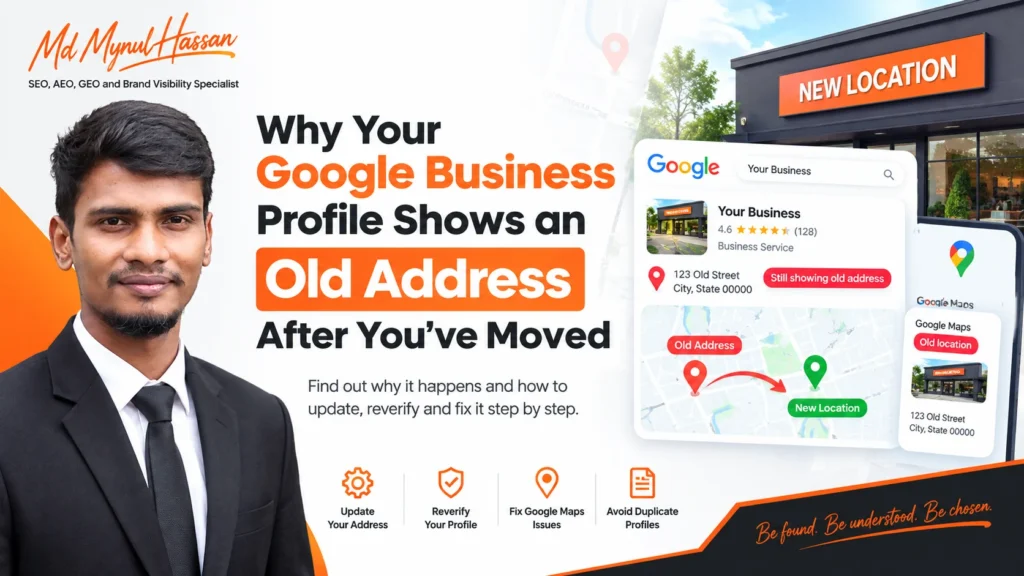
Moved your business but Google still shows the old address?
The most common reason is that changing the address in your Google Business Profile is not always the final step. Google says that when a verified Business Profile moves to a new address, the business must verify the profile again. Your business information also needs to accurately reflect the real-world location or service area where the business operates.
That means an old address can remain visible when the new address has not completed verification, Google Maps has not fully reflected the change, the business information is inconsistent elsewhere, a duplicate profile was created, or the business type is being handled incorrectly.
This guide explains what to check, what to change, what not to do, and when the problem needs Google support rather than another round of edits.
Why Your Google Business Profile Can Still Show the Old Address
There is no single reason every moved business continues to show its previous address.
Usually, one of these situations is responsible:
- The new address was entered but the profile still needs verification.
- The address changed in the management interface but the public Maps result has not caught up.
- The map pin is inaccurate.
- The business website still contains the old address.
- Business directories or important third-party listings still show the old location.
- A second Business Profile was created after the move.
- The business is a service-area business and its address is being handled as though it were a storefront.
- Google rejected or restricted the change.
- The profile has a complicated history involving previous address changes.
The first thing to understand is that the address shown inside the Business Profile management interface and the information a customer sees publicly may not update at exactly the same time.
So do not immediately create another profile just because a Google search still displays the previous address.
What Google Requires When a Business Moves
Google’s core guidance is straightforward: when a verified Business Profile moves to a new address, the business needs to verify the profile again.
Google also expects businesses to represent themselves accurately, use a legitimate address or service area, and avoid creating duplicate profiles for the same business location.
This gives you an important rule:
A physical move normally means updating the existing Google Business Profile and completing the new verification process, not automatically creating a second profile.
Google’s guidance also explains that businesses should maintain accurate information about their real-world location and business type.
That matters because a storefront business, hybrid business, and service-area business do not necessarily use the same location setup.
For a broader review of your local visibility, see the Local SEO Service and Google Business Profile Optimization Service pages.
How to Change Your Google Business Profile Address After Moving
Start with the existing profile that represents the business.
Step 1: Sign in to the correct Google account
Make sure you are using the Google account that manages the Business Profile.
Ownership problems can sometimes look like address problems. If the profile belongs to an old employee, former agency, or another Google account, resolve the access issue before repeatedly attempting address changes.
Step 2: Edit the business address
Open your Business Profile and update the business location with the complete, accurate new address.
Use the real address where the business operates.
Do not add keywords to the address.
Do not use a city name simply because you want to appear for searches there.
Do not replace a genuine business location with a virtual office that does not meet Google’s eligibility requirements.
Step 3: Check the map pin
An address can look correct as text while the map position is wrong.
This can happen with businesses located in large buildings, shopping centres, rural areas, newly developed neighbourhoods, or locations that Google has difficulty resolving precisely.
Make sure the map pin represents the actual business location.
Step 4: Check whether Google requires verification
This is the step many business owners miss.
When a verified Business Profile moves to a new address, Google requires the profile to be verified again.
Do not assume the relocation is complete simply because you were able to enter the new address.
The profile may still require a verification process before the new location is fully established.
Step 5: Complete the verification method Google provides
Google may provide different verification methods depending on the business and circumstances.
For video verification, Google currently requires a live, unedited recording. The evidence should demonstrate that the business exists and that you manage or operate it.
For a storefront or hybrid business, relevant evidence can include the location, nearby identifying features, permanent business signage, and evidence that you manage the business.
For a service-area business, the appropriate evidence can be different and may involve business equipment, branded materials, work vehicles, business documents, and other signs of actual operation.
Do not stage fake evidence.
The goal is to demonstrate a real relationship between:
Business → Location → Operations → Management
Why Google Maps May Still Show the Old Address
This is where many businesses get confused.
You may open the Business Profile manager and see the new address while a normal Google search or Google Maps query still appears to show the previous location.
Before changing anything again, determine which part of the system is actually wrong.
Case 1: The Business Profile dashboard still shows the old address
This is primarily a profile-update problem.
Update the address and follow the verification process Google provides.
Case 2: The dashboard has the new address, but Google Maps shows the old address
This is different.
The profile may still be processing the relocation or verification.
Check the public listing directly on both Google Search and Google Maps.
Do not create a second profile simply because the public listing does not immediately match the management interface.
Case 3: The new business location appears, but the old location also appears
This can indicate duplicate or conflicting information.
Search the business name together with the old address.
Look for:
- Another Google Business Profile
- An old location page
- Old directory listings
- Old social-profile information
- Third-party business databases
Google expects businesses to keep their information accurate and avoid duplicate profiles.
Case 4: The old address appears only on other websites
This may not be a Google Business Profile issue at all.
It can be a broader business-information consistency problem.
Check your:
- Website header and footer
- Contact page
- Location pages
- About page
- Service pages
- Schema markup
- Business directories
- Industry listings
- Social media profiles
- Review platforms
- Older downloadable documents
A broader SEO Audit Service can be useful when an address migration affects several parts of a website and its local-search presence.
What to Do If Google Asks You to Reverify
Do not treat re-verification as proof that your profile is broken.
After a physical move, re-verification is part of Google’s documented process.
The important question is whether you can clearly demonstrate that the new location is legitimate.
Before starting verification, prepare evidence relevant to your business.
For a storefront, this can include:
- Permanent exterior signage
- Building or street identifiers
- Interior business areas
- Business equipment
- Evidence that staff operate from the location
For a service-area business, Google may expect different types of evidence, such as:
- Business equipment
- Branded vehicles or materials
- Workspaces
- Location identifiers
- Invoices
- Permits
- Utility documents
- Other evidence of legitimate operation
A common mistake is creating a video that proves a person owns a business but does not clearly connect the business to the location represented by the profile.
The evidence should tell a consistent story.
Storefront, Hybrid, and Service-Area Businesses Need Different Checks
A move does not affect every business in exactly the same way.
| Business type | Main checks after moving |
|---|---|
| Storefront | New physical address, accurate pin, signage, verification |
| Hybrid | Physical address plus correct service-area setup |
| Service-area business | Correct service area and appropriate address visibility |
| Multi-location business | Each legitimate location represented correctly |
| Practitioner business | Correct relationship between the practitioner and business |
A clinic with a public office is not handled the same way as a mobile contractor who travels to customers.
For example, a dental clinic generally operates from a public physical location, while a plumber may serve customers at their properties and not receive customers at the business address.
That distinction is important when updating the profile.
Should You Create a New Google Business Profile After Moving?
Usually, no.
Do not create a new profile simply because the business moved to another physical location.
Google specifically advises against creating a new profile solely because a business changed physical location.
For a relocated business that keeps the same business name, Google says reviews will generally transfer automatically, although certain business categories can have different treatment.
Creating a second profile can create:
- Duplicate listings
- Conflicting business information
- Review fragmentation
- Ownership confusion
- Additional verification problems
- Customer confusion
A better sequence is:
Existing profile → Update address → Reverify → Check public listing → Clean up conflicting information
If a second profile already exists, do not randomly delete one before understanding which listing is legitimate and which account controls it.
Update Your Website and Other Business Listings Too
Changing Google alone is not enough.
Your website should reflect the new location wherever the old address appears.
Start with the most important customer-facing areas.
Website
Update your:
- Contact page
- Footer
- Header
- Location pages
- About page
- Service pages
- Booking pages
- Store locator
- Structured data
Business listings
Update important directories and industry-specific listings.
Social profiles
Review the address and business information displayed on your social profiles.
Maps and navigation
Check other important mapping and navigation platforms used by your customers.
Structured data
Update structured data when the physical business location changes.
This is where On-Page SEO and Technical SEO become relevant.
A website can visibly display a new address while its structured data or older pages still communicate outdated location information.
A simple migration check is:
Find old address → update it → verify visible page content → verify structured data → review indexed pages → check important external listings
Do not try to update every website on the internet simply to increase the number of citations.
Focus on relevant, legitimate business references.
What Happens to Your Google Reviews After a Move?
For a business that moves and keeps the same business name, Google says reviews will generally transfer automatically.
That is important because fear of losing reviews is one reason some business owners create a new profile.
The better approach is normally to keep the established profile and complete the relocation process correctly.
Google also notes that certain categories can have different treatment, so “reviews always transfer” is too broad a statement.
The safer takeaway is:
A physical move does not automatically mean that you should abandon your existing Business Profile.
What If the Address Change Is Rejected?
Do not repeatedly submit the same change without identifying the underlying problem.
Confirm that the new address is genuine
The business must actually operate from the represented location.
Check the address format
Make sure the address is complete and accurately represents the business.
Confirm the business type
A service-area business should not be configured like a walk-in storefront when customers do not visit the location.
Prepare appropriate evidence
If Google asks for verification, gather evidence that clearly establishes the business and its new operating location.
Confirm ownership access
Make sure the account managing the profile actually has the appropriate access.
Search for duplicate profiles
Search Google Maps for:
Business name + old address
and:
Business name + new address
Also search variations of the business name.
If the issue still persists, Google Business Profile support is usually a better next step than creating another listing.
For technical or website-related inconsistencies around the same time, an SEO Audit Service can help separate Google-profile issues from website and indexing problems.
A Practical Google Business Profile Move Checklist
Use this sequence when a business changes location:
- Confirm the business genuinely operates at the new address.
- Sign in to the correct Google account.
- Update the physical address.
- Check the map pin.
- Check whether Google requests re-verification.
- Complete the requested verification process.
- Search the business on Google Search.
- Search the business on Google Maps.
- Search the old address together with the business name.
- Check the website for the old address.
- Update important directories and profiles.
- Check structured data.
- Look for duplicate profiles.
- Confirm that the business category and service-area setup still match reality.
- Document unresolved issues before contacting support.
This order prevents you from treating a verification problem as a citation problem or a duplicate-profile problem as a simple address-entry problem.
A Better Diagnostic Framework
When a business says, “My GBP shows the old address after moving,” break the problem into four layers.
Layer 1: Business reality
Does the business genuinely operate from the new location?
If not, stop there.
Layer 2: Google Business Profile
Does the managed profile contain the new address?
Is verification complete?
Is the map pin correct?
Is the business type correct?
Layer 3: Public Google results
Does Google Search show the new address?
Does Google Maps show the new address?
Is the old location still discoverable?
Is another profile representing the old location?
Layer 4: Website and external ecosystem
Does the website show the new address?
Does structured data show the new address?
Do important third-party websites still show the old location?
This four-layer approach makes diagnosis much faster because it tells you where the inconsistency actually lives.
Schema Markup After a Business Address Change
Structured data does not replace Google Business Profile management.
Changing your website schema alone will not update or verify your Google Business Profile.
Its job is different.
Schema.org and Google’s structured-data documentation allow your website to communicate information about the business, address, services, organization and related entities in a machine-readable format.
For a local business, the conceptual structure can be:
Organization / LocalBusiness
→ has address → PostalAddress
→ has location → Place
→ offers → Service
→ has website → WebSite
→ may identify → Person
The important rule is consistency.
If your visible website says the business is at one address but your structured data says something different, you have created an avoidable information conflict.
Google’s documentation for LocalBusiness structured data recommends using the most specific applicable business subtype and providing accurate business information.
Law firm schema after moving
For law firms, the entity model can be more detailed.
A useful conceptual relationship is:
LegalService
→ provider → Organization
→ attorney / practitioner → Person
→ address → PostalAddress
→ location → Place
→ service → Service
→ areaServed → geographic area where appropriate
→ url → relevant website page
This allows the website to communicate relationships among the law firm, its physical location, attorneys and legal services.
Schema.org defines LegalService as a type of business providing legal services, and it can be connected with more specific service and organization relationships.
Do not add every available schema type just because it exists.
Use only structured data that accurately represents the visible content.
For a broader understanding of how structured data fits into SEO, see the Schema Markup guide.
How Internal SEO Can Help After a Location Move
A business relocation is also a good time to review how the website communicates location relevance.
For example, a website may contain:
- An old location page
- A current location page
- Service pages mentioning the previous location
- Old blog posts
- Internal links pointing to outdated pages
- Structured data containing the old address
This is why a relocation should sometimes be treated as a website information audit rather than a single Google profile edit.
A Keyword Research Service can help identify whether customers are still searching using the previous location, the new location, or broader service-area terms.
Likewise, SEO Content Writing Service can support updates to location pages and supporting content when the move changes the business’s geographic targeting.
The goal is not to erase every historical reference instantly.
The goal is to make the current operating location clear while keeping legitimate historical information where it still serves the reader.
Common Mistakes to Avoid After Moving
Creating a new profile too early
A second profile does not solve an existing verification issue.
It can introduce another profile that also needs verification and may create conflicting information.
Repeatedly changing the address
If the correct new address is already entered and verification is pending, changing it repeatedly can make diagnosis more difficult.
Using a virtual office
A mailing address does not automatically qualify as a legitimate business location.
Keeping the old website address
Customers may visit your website instead of Google Maps.
Your website must reflect the move too.
Forgetting the map pin
A correct written address with an inaccurate pin can still send customers to the wrong location.
Treating a service-area business like a storefront
A mobile contractor, cleaning company, locksmith or plumber may have completely different location requirements from a clinic or retail store.
Assuming schema fixes Google Business Profile
Structured data helps search engines understand your website. It does not replace Business Profile verification.
Promising a fixed recovery time
There is no responsible universal promise that every address update will appear within a specific number of hours or days.
The correct process is to diagnose the status, complete the required steps and monitor the result.
When You Need More Than a Simple Address Edit
A basic move is often manageable through the existing Business Profile.
A specialist review becomes more useful when:
- The old address remains visible after the new location has been verified.
- A duplicate Business Profile exists.
- The business is suspended after the move.
- The previous owner or employee controls the profile.
- The map pin is seriously wrong.
- The business changed from storefront to service-area operation.
- Multiple profiles are involved.
- Multiple locations have been affected.
- The website and Google profile disagree.
- Important directories still publish the previous address.
In those situations, the problem should be treated as a broader local-search consistency issue rather than just an address-field problem.
A properly scoped Local SEO Service can examine the Business Profile, website, location pages, citations, competitors and related local-search signals together.
Frequently Asked Questions
Why does my Google Business Profile still show my old address after moving?
The profile may still need verification, the public listing may not yet reflect the managed profile update, the map pin may be wrong, a duplicate profile may exist, or conflicting business information may remain elsewhere online.
Do I need to create a new Google Business Profile when I move?
Usually, no. Google advises against creating a new profile simply because a business changed physical location. The existing profile should normally be updated and reverified.
Why does Google Maps show the old address when my profile is updated?
The managed profile and public Google surfaces may not update in exactly the same way or at exactly the same time. First check the verification status, public listing, map pin, duplicate profiles and conflicting business information.
Does changing my website address update my Google Business Profile?
No. Updating your website does not replace the need to update the Google Business Profile itself. The website should support the same accurate business information.
What happens to my Google reviews when my business moves?
For a relocated business that keeps the same name, Google says reviews will generally transfer automatically, although certain business categories can have different treatment.
Can a service-area business show an old address after moving?
It can show incorrect information when its Business Profile configuration no longer reflects how the business actually operates. Service-area businesses that do not serve customers at their address generally should not publicly display that address.
What should I do if Google rejects my new address?
Confirm that the address is legitimate, verify that the business type is correct, make sure you have the correct profile access, prepare suitable verification evidence, check for duplicate profiles, and use Google Business Profile support when necessary.
How long does it take Google to update an address?
There is no reliable universal processing time that applies to every situation. Timing can depend on verification, review, profile history, business type and conflicting information.
Final Takeaway
When your Google Business Profile shows an old address after a move, do not treat it as a simple text-edit problem.
Start with the existing profile. Confirm that the business genuinely operates at the new location, update the address, check the map pin, complete re-verification when Google requires it, and then inspect the public Google results.
After that, review your website, directories, social profiles, structured data and duplicate listings for conflicting information.
The most important principle is simple:
One real business should be represented by accurate, consistent location information across the systems customers and search engines use to understand it.
That is the foundation for a cleaner Google Business Profile, better local-search consistency and a better customer experience after a move.
About Md Mynul Hassan
I’m Md Mynul Hassan, an SEO Consultant, Local SEO Consultant, and SEO, AEO, GEO and Brand Visibility Specialist based in Bangladesh and working remotely with businesses internationally.
My work covers Google Business Profile optimization, Local SEO, technical SEO, content strategy, on-page SEO, internal linking and broader search visibility.
You can find my professional work on:
Upwork
Freelancer.com
LinkedIn
YouTube
Facebook
For more information about my services, visit the SEO Services page or Contact Md Mynul Hassan.