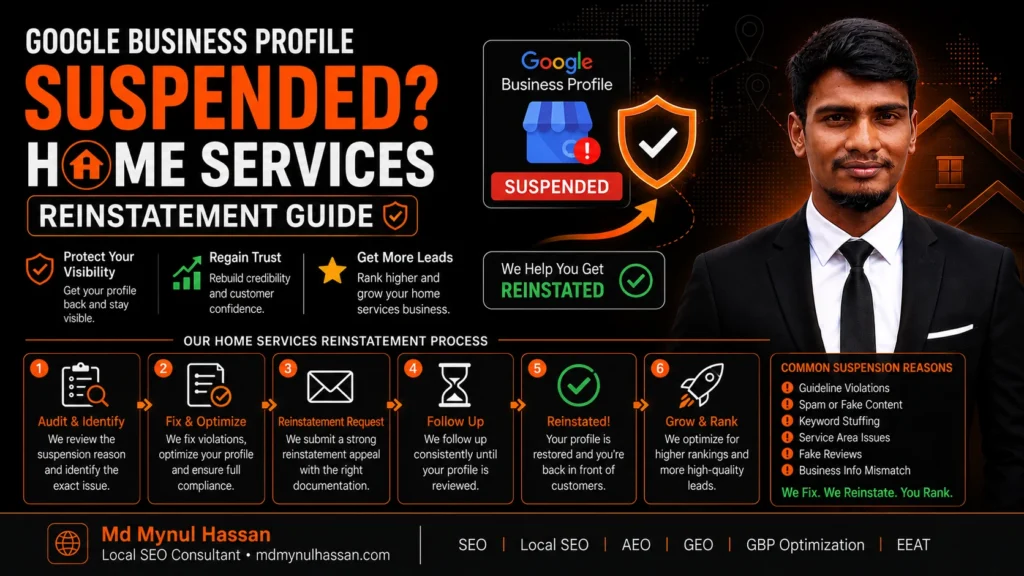
A Google Business Profile suspension can hurt a home-service business immediately because the profile may drive calls, website visits, Maps discovery, directions, and customer trust.
The first thing to do is not create another profile.
First, determine what Google restricted, review the Business Profile guidelines, correct anything that does not accurately represent the business, prepare matching evidence, and then use Google’s appeal process. Google specifically advises businesses to make sure the profile follows its guidelines before appealing, and it says not to create a new profile for the same business while an appeal is under review.
For a plumber, HVAC contractor, electrician, roofer, cleaner, landscaper or other service-area business, the address and service-area setup deserves particular attention. Google distinguishes service-area businesses from storefronts and says service-area businesses that don’t serve customers at their address should remove the public address and use the service-area setting instead.
Don’t Create a New Profile Yet
A suspension often triggers panic. A business owner searches for a workaround, creates another Gmail account, builds another listing, changes the name, or asks an employee to create a replacement profile.
That can make diagnosis harder.
Google says businesses should not create a new Business Profile for the same business while an appeal is being reviewed. Google also states that there should be only one Business Profile for each business, with legitimate separate profiles allowed when there are genuinely separate eligible locations.
The safer approach is:
- Keep the suspended profile.
- Identify the likely policy issue.
- Correct the profile and business representation.
- Collect supporting documents.
- Submit the official appeal.
- Wait for the decision before taking further action.
Why Home-Service Google Business Profiles Get Suspended
Google does not publish a simple list saying that every suspension is caused by one specific factor. A suspension means Google believes the profile or account does not meet applicable requirements, but the exact situation can vary.
For home-service businesses, I would investigate these areas first.
| Possible issue | What to check | Typical correction |
|---|---|---|
| Address problem | Is the public address genuinely customer-facing? | Hide the address when the business operates as a service-area business |
| Virtual office | Is the listed location only a rented mailing or virtual address? | Use a legitimate eligible business location |
| Business name | Does the profile name contain extra keywords or locations? | Use the real-world business name |
| Duplicate listing | Are multiple profiles representing the same business? | Resolve duplicates rather than creating more listings |
| Service area | Does the profile accurately represent where the business serves customers? | Use genuine service areas |
| Verification | Did major changes occur around verification? | Review the changes and supporting evidence |
| Account restriction | Is the owner’s or manager’s Google Account restricted? | Resolve the account restriction before profile-level appeal where required |
These checks are based primarily on Google’s published Business Profile policies and support documentation. Community discussions can show how similar cases occurred in practice, but those discussions should not be treated as Google’s official diagnosis of your specific suspension.
Address and Service-Area Problems
This is one of the first things I would inspect for an HVAC company, plumber or contractor.
Google says a service-area business is a business that travels to customers rather than serving customers at its own business address. Businesses such as plumbers and cleaning services are examples Google gives for service-area businesses.
If a home-based contractor does not receive customers at the home address, the public profile should not present that residential address as a storefront.
Google’s current guidance says service-area businesses should hide their address from customers when they don’t serve customers at that location. Google also says service areas should be represented using cities, postal codes or other areas rather than a radius, with up to 20 service areas and an overall area generally not extending more than about two hours of driving time from the business base.
That means this is risky:
ABC HVAC SEO | Dallas | Fort Worth | Plano
when the actual real-world business name is simply ABC HVAC.
The same applies to addresses. A business should not create a virtual office just to gain visibility in another city. Google explicitly says virtual offices that the business does not genuinely operate from are not eligible locations.
For wider local-search strategy after the suspension is resolved, see my Local SEO for service businesses.
Virtual Offices, PO Boxes and Ineligible Locations
Location eligibility is not a minor technical field.
Google says a Business Profile should represent a real-world business location and that PO boxes or remote mailboxes are not acceptable as business locations. It also says a virtual office is not eligible when the business rents the address but does not actually operate from that location.
A contractor may have a perfectly legitimate business but still create a problem by using:
- a virtual office address,
- a mailbox address,
- a coworking address that does not meet Google’s conditions,
- an address where customers are not actually served,
- multiple addresses for one business without legitimate locations.
The answer is not to find another address that looks better for SEO.
The answer is to represent the actual business correctly.
Business Name and Representation Issues
Google says the Business Profile name should reflect the business’s real-world name as used consistently on signage, stationery and by customers. Additional information such as service areas, categories and hours belongs in their respective profile fields, not stuffed into the business name.
For example, suppose a company is legally and publicly known as:
Smith Home Plumbing
A profile name such as:
Smith Home Plumbing | Best Plumber Dallas | 24/7 Emergency Plumbing
does not become legitimate simply because the services and cities are real.
The correct approach is to use the genuine business name and let the category, services, website content and other legitimate signals explain what the business does.
Google warns that unnecessary information in the business name can result in suspension.
Duplicate Profiles
A duplicate profile can create a second major problem for home-service businesses targeting several cities.
Google says a business should have only one Business Profile, and it specifically identifies existing verified profiles, shared addresses and multiple profiles for the same business as reasons profiles may be considered duplicates.
Creating one profile for “Dallas,” another for “Fort Worth,” and another for “Plano” does not create legitimate locations when those are simply service areas served by the same business.
This is one reason I would never treat a multi-city Local SEO strategy as a matter of creating dozens of Business Profiles.
A better strategy connects the real Business Profile with genuine service information and a useful website structure. My Google Business Profile optimization service covers profile accuracy, service-area setup, website alignment and related local-search considerations.
Step 1: Identify Exactly What Google Restricted
Before changing anything, establish what happened.
Look for the message shown in your Business Profile or account and determine whether:
- the Business Profile itself is suspended,
- the account managing the profile is restricted,
- the profile is disabled or removed,
- a verification problem is involved,
- a recent edit was rejected,
- another profile is being treated as a duplicate.
This distinction matters because Google says account restrictions can affect the profiles managed by that account. When an account is restricted, that account-level problem needs to be resolved before the profile appeal process can fully proceed.
Don’t start making ten changes before you understand the starting point.
A simple record of the current business name, address configuration, service areas, category, website, phone number and account status can help you compare the profile with the business’s real-world information.
For a broader diagnosis, a local SEO audit can help connect the GBP problem with website, citation, service-page and local-search issues.
Step 2: Audit the Business Before Filing an Appeal
An appeal is not a substitute for compliance.
Google’s own guidance says to make sure the profile follows its guidelines before submitting an appeal.
Use this sequence.
1. Check the real business name
Compare the profile name with the name used by the business in the real world.
Remove city names, service keywords and promotional language that do not belong in the official business name.
2. Check the location setup
Ask a simple question:
Do customers actually come to this address during the business’s normal operation?
If not, investigate the service-area setup instead of presenting the location like a storefront.
3. Check the service area
List only areas the business genuinely serves.
Google currently allows up to 20 service areas entered by city, postal code or other area type.
4. Check duplicates
Search Google Maps for the business name, phone number and address.
Look for old profiles, duplicate profiles or locations created for marketing purposes rather than genuine business locations.
5. Check the phone and website
Google says the phone number should connect to the individual business location or otherwise directly represent the business, and its guidelines require accurate business information.
Compare the profile with the website and important business records.
6. Review recent changes
Look for major changes made shortly before the suspension:
- address change,
- business-name change,
- primary category change,
- service-area change,
- ownership change,
- new verification,
- duplicate listing creation,
- unusual account activity.
The timing does not prove that a particular edit caused the suspension, but it can identify where the audit should start.
Step 3: Prepare Evidence That Matches the Profile
Google says evidence that may strengthen an appeal can include official business registration, a business licence, tax certificates and utility bills such as electricity, phone, water or internet documents. Google also advises checking that the business name and address on submitted documents match the Business Profile being appealed.
Think about evidence as a consistency test.
| Evidence | What it can help establish |
|---|---|
| Business registration | The business legally exists |
| Business licence | The business operates under the relevant authority |
| Tax documentation | Business identity and location information |
| Utility bill | Connection to a real location |
| Lease or property documentation | Legitimate location relationship where applicable |
| Website | Public business information and services |
| Signage / business assets | Real-world business representation where applicable |
For a service-area business, be careful not to assume every document needs to become public. The objective is to provide the evidence Google requests through the official process and keep the information consistent.
A common mistake is submitting documents with one business name while the profile uses another, or providing an address that no longer matches the business information.
The more consistent the evidence, the easier it is for a reviewer to understand what the business actually is.
Step 4: Submit the Google Business Profile Appeal
Google’s current appeal flow gives the account owner access to the affected profile, shows the restriction or policy context, and provides the appeal option where eligible.
The process is broadly:
- Sign in to the Google Account connected with the profile.
- Open the Google Business Profile appeals tool.
- Select the restricted Business Profile.
- Review the reason and policy information Google provides.
- Submit the appeal.
- If prompted to add evidence, upload the prepared documents.
- Submit the evidence within the stated time window.
Google currently says that when the evidence form is opened, the evidence must be submitted within 60 minutes or it will not be attached to the appeal.
That is why evidence preparation should happen before starting the appeal rather than afterwards.
Google also says not to submit multiple appeals for the same issue before receiving a decision.
Step 5: What to Do If the Appeal Is Denied
A denied appeal does not automatically mean the business is illegitimate.
It means you should reassess the problem rather than immediately submitting the same information again.
Google says that after a denied reinstatement request, an additional review may be available, and additional evidence that was not supplied with the original appeal can be used.
Before requesting additional review:
- Re-read the guideline connected with the moderation action.
- Check the profile name again.
- Recheck the address and service-area configuration.
- Look for duplicate profiles.
- Check whether the account itself has a restriction.
- Compare the profile with official documentation.
- Identify what new evidence can clarify the situation.
- Avoid inventing an explanation for a policy violation that did not happen.
The Google Business Profile Community can be useful for understanding patterns, but it is important to remember that community responders are not Google employees and their explanations are not the same as an official Google diagnosis.
How Long Does a Google Business Profile Appeal Take?
Google’s current appeal documentation says appeal reviews and decisions can take up to five business days for the stated process.
Community discussions show that some cases can take longer, but those reports are anecdotal and should not be converted into a guaranteed turnaround time.
The better expectation is:
Prepare carefully, submit once correctly, monitor the official appeal status, and avoid creating a replacement profile while the appeal is under review.
Do not treat a community-reported timeline as a promise from Google.
Step 6: Protect the Profile After Reinstatement
Getting reinstated is not the end of the process.
Once the profile returns, review the setup again.
Check:
- business name,
- primary category,
- secondary categories,
- address visibility,
- service areas,
- phone number,
- website,
- hours,
- services,
- profile description,
- photos,
- ownership and manager access,
- duplicate listings,
- website consistency.
Google’s representation guidelines require businesses to accurately represent themselves and maintain accurate location or service-area information.
This is also the point where website and local SEO work should be reviewed together. My technical SEO service can be relevant when the suspension investigation reveals broader issues involving website structure, indexing, redirects, sitemaps or structured data.
A Practical Suspension Checklist for HVAC, Plumbers and Contractors
Before submitting your appeal, work through this list:
Business identity
- Real-world business name is used.
- No unnecessary city or keyword stuffing appears in the name.
- Website uses consistent business information.
- Phone number represents the actual business.
Location
- The business location is genuine.
- No virtual office is being used merely to target a city.
- A home-based service business is not presenting its home as a customer-facing storefront when it does not operate that way.
- Service areas reflect where the business actually operates.
Profile management
- No duplicate profile exists for the same business.
- Owner and manager access is understood.
- Recent major edits have been documented.
- Account restrictions have been checked.
Evidence
- Business registration is available where relevant.
- Business licence is available where relevant.
- Tax or utility documentation is available where relevant.
- Documents match the business identity shown on the profile.
- Evidence can be submitted immediately after the appeal if Google requests it.
Appeal
- Underlying policy issues were corrected.
- The appeal explains the situation clearly.
- Supporting evidence is ready.
- No replacement profile was created while the appeal is under review.
Google Business Profile Schema vs Website Schema
A common misconception is that website schema can somehow repair a suspended Google Business Profile.
It cannot.
Structured data on your website and your Google Business Profile are different systems. Schema markup can help search engines understand information published on the website, but it does not replace Google’s Business Profile eligibility requirements or appeal process.
Google recommends using the most specific appropriate LocalBusiness subtype for a business location and following the applicable Organization and structured-data guidance. Google also recommends validating structured data and using URL Inspection to check how Google sees the page.
For a service business website, relevant relationships may include:
Organization / LocalBusiness
→ represents the business
Person
→ represents the founder, author or responsible professional where appropriate
Service
→ describes a service offered by the organization
areaServed
→ describes the geographic area where the service is provided
Schema.org defines Service with an areaServed relationship and describes Person with relationships such as worksFor.
I would not add schema solely because a particular type sounds powerful. The markup should match what is visibly and factually supported by the page.
For businesses using WordPress, the website side can also be reviewed through my WordPress SEO service.
Where LegalService Schema Fits for Law Firms
There is one important distinction because schema advice is often mixed together across industries.
LegalService is a Schema.org subtype of LocalBusiness intended for businesses providing legal services, such as law firms. It is not appropriate for a plumber, HVAC company, electrician or general contractor.
For a legitimate law-firm website, the entity relationship can be modelled more carefully:
LegalService
→ represents → legal practice
Organization
→ represents → business entity
Person
→ represents → attorney or responsible professional
Service
→ represents → legal service offered
Location / LocalBusiness relationship
→ represents → legitimate office location when applicable
WebSite
→ represents → the organization’s website
The important point is not to place every available schema type into one JSON-LD block. The implementation should reflect the visible page and actual relationships.
Google’s structured-data documentation recommends the most specific applicable LocalBusiness subtype and says the markup should be accurate, accessible and validated.
For schema strategy in general, see my guide on SEO and schema markup for businesses.
When You Need Specialist Help
Some suspensions are straightforward.
Others become difficult because the business has changed addresses, operates from a home, has multiple duplicate listings, recently changed ownership, used a virtual office, changed its profile name, or has conflicting business information across platforms.
That is where diagnosis matters more than simply “optimizing the profile.”
A useful audit should answer:
What does Google see?
What does the business actually do?
Where does the business genuinely operate?
What changed before the suspension?
Which policy area may be involved?
What evidence supports the correct business representation?
What should be fixed before appeal?
That is the same reason I approach Local SEO through the wider ecosystem rather than treating the Business Profile as an isolated listing. My Local SEO audit can connect the profile with service pages, local signals, citations, competitors and website structure.
A suspended profile can also reveal a website problem. If service pages are weak, business information is inconsistent, important local pages are missing, or the website does not clearly describe services and locations, the reinstatement issue may be only one part of the larger local-search problem.
My on-page SEO service and SEO content strategy service are relevant when the website itself needs stronger service and search-intent alignment.
For businesses that depend heavily on leads, the recovery process should eventually connect visibility with conversion. That is where conversion rate optimization can become useful after the profile and website foundation are stable.
A Final Practical Rule
When a home-services Google Business Profile gets suspended overnight, resist the temptation to “fix” it by creating something new.
Fix the business representation first.
Review the name.
Review the address.
Review the service area.
Review duplicates.
Review account access.
Review recent changes.
Prepare matching evidence.
Use Google’s appeal process.
Then rebuild the local-search foundation around an accurate business entity.
Google’s documentation gives the policy and appeal framework. Your job is to make the actual business representation fit that framework as clearly and consistently as possible.
For further verification of my professional work and approach, you can review my why work with Md Mynul Hassan page, my HVAC Local SEO case study, and my Google Business Profile optimization service.
You can also find my professional profiles on Upwork, Freelancer.com, LinkedIn, YouTube, and Facebook.
If the profile is still suspended after you have corrected the underlying issue and prepared consistent evidence, the next sensible step is a structured review rather than repeated trial-and-error edits. You can request a local SEO audit and use the findings to decide what should be changed before another appeal.