
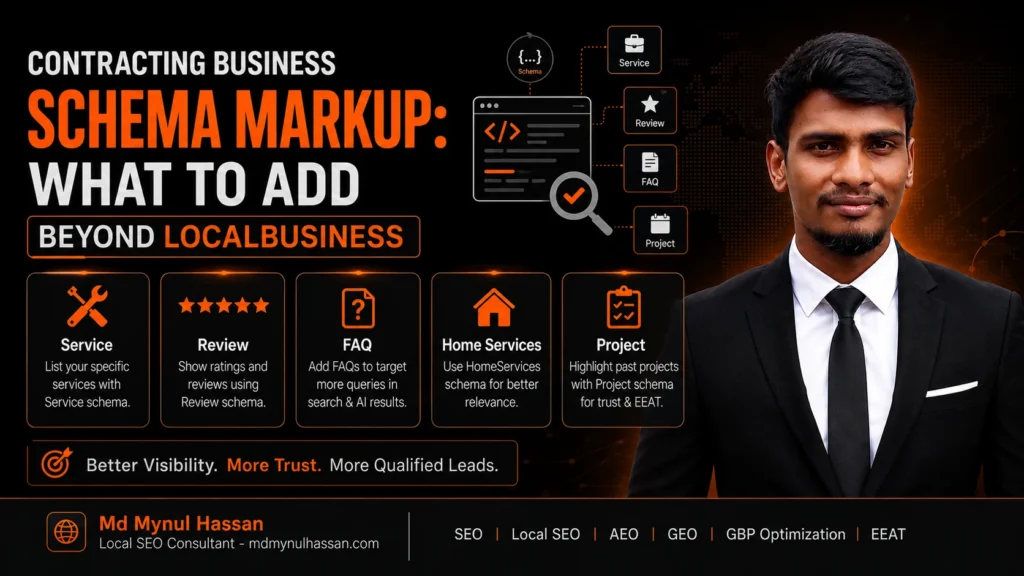
Basic LocalBusiness schema is useful for a contractor website, but it should not be the end of your structured-data strategy.
A contracting business can be represented much more clearly by connecting its business identity with its location, service areas, individual services, website, important pages, contact information, and other genuine business relationships.
For a general contractor, Schema.org currently provides a specific GeneralContractor type under HomeAndConstructionBusiness, which sits within the LocalBusiness hierarchy. (Schema.org: GeneralContractor)
The important point is accuracy.
Schema.org gives you a vocabulary for describing entities and relationships. Google has separate requirements for structured data that may support particular Search features. Valid Schema.org markup does not guarantee rankings, rich results, or visibility in AI search.
Google states that structured data can help its systems understand page content, but even correctly implemented structured data does not guarantee that a rich result will appear. (Google Search Central: General structured data guidelines)
This guide explains what contractors should add beyond a basic business listing, when each schema type or property makes sense, what should be avoided, and how to build a cleaner contractor entity structure.
What Is Contracting Business Schema Markup?
Contracting business schema markup is structured data that describes a contractor or construction business using the Schema.org vocabulary.
Most implementations use JSON-LD because it can be added separately from the visible HTML content while still describing the page and its entities.
For a genuine general contractor, the relevant Schema.org hierarchy is:
Thing → Organization → LocalBusiness → HomeAndConstructionBusiness → GeneralContractor
Schema.org currently documents GeneralContractor as a type for a general contractor. (Schema.org: GeneralContractor)
The practical goal is not to add as many properties as possible.
The goal is to help machines understand:
Who is the business?
Where is it located?
Where does it operate?
What services does it provide?
Which website and pages represent the business?
Which people and external profiles are genuinely connected to it?
That is a much stronger approach than treating schema as a collection of SEO fields.
What Should a Contractor Add Beyond Basic LocalBusiness Schema?
A basic business listing often contains information such as the business name, address, phone number and opening hours.
A more complete contractor implementation can add relevant information about:
- The specific contractor type
- Business identity
- Physical location
- Geographic coordinates
- Opening hours
- Service areas
- Individual services
- External business profiles
- Logo and business images
- Contact methods
- Areas of knowledge
- Genuine employee relationships
- Website relationships
- Page relationships
- Breadcrumbs
- Article and image information where appropriate
The exact structure depends on the business.
A contractor with one physical office and five service pages should not automatically use the same markup as a national construction company with multiple legitimate locations.
Google recommends using the most specific applicable LocalBusiness subtype when one exists. (Google Search Central: Local Business structured data)
Where Does GeneralContractor Fit in the Schema.org Hierarchy?
GeneralContractor
GeneralContractor is the most specific obvious Schema.org type for a business that genuinely operates as a general contractor.
For example:
"@type": "GeneralContractor"
can accurately describe a business whose primary role is general contracting.
That does not mean every construction-related company should use it.
A roofing specialist, electrical contractor, plumbing company, HVAC business or specialized remodeling company should choose a type that actually reflects its business.
The correct rule is simple:
Use the most specific type that accurately describes the business.
HomeAndConstructionBusiness
HomeAndConstructionBusiness is the broader category for home and construction businesses.
It is useful when a business belongs in this area but GeneralContractor does not accurately describe the company’s actual role.
LocalBusiness
LocalBusiness is the broader local-business category.
Google’s documentation recommends using the most specific applicable subtype rather than stopping at generic LocalBusiness when a more specific subtype exists. (Google Search Central: Local Business structured data)
Do not select a schema type because it sounds more powerful.
Select it because it is true.
Organization
A local business is already related to the Organization hierarchy.
Google also recommends using relevant Organization information such as business name, address, telephone, URL and logo where applicable. (Google Search Central: Organization structured data)
You normally do not need to create multiple disconnected entities for the same company simply to mention Organization, LocalBusiness, HomeAndConstructionBusiness and GeneralContractor.
A connected entity graph is usually easier to understand than four separate copies of the same business.
Business Identity Properties Contractors Should Consider
name
Use the actual business name.
Do not add city names, service keywords or promotional language unless they are genuinely part of the business’s real-world name.
url
Use the canonical website or appropriate business page.
The URL should represent the entity being described.
telephone
Use the real business telephone number displayed on the website.
Do not create different numbers merely to target different keywords or locations.
logo
Use the actual company logo.
The image should represent the business rather than being created only for search-engine purposes.
image
Use a real image associated with the business.
Depending on the site, this could be a company image, office image or another representative business image.
sameAs
sameAs can connect the business entity to external pages that clearly represent the same organization.
For example:
- Official Facebook page
- Official LinkedIn company page
- Official YouTube channel
- Genuine professional profile
- Relevant business profile
Do not add unrelated social accounts, employee profiles or directory pages simply to increase the number of URLs.
Add a Real Address With PostalAddress
A contractor with a genuine physical location can use PostalAddress to describe that address.
Example:
"address": {
  "@type": "PostalAddress",
  "streetAddress": "123 Example Street",
  "addressLocality": "Austin",
  "addressRegion": "TX",
  "postalCode": "78701",
  "addressCountry": "US"
}
Replace every value with the actual business information.
Do not publish a fake office address because you want to rank in a particular city.
That distinction becomes especially important for contractors who travel to customers rather than operating storefronts in every location they serve.
Add GeoCoordinates When They Represent a Real Location
GeoCoordinates can describe the geographic position of a real business location.
Example:
"geo": {
  "@type": "GeoCoordinates",
  "latitude": 30.2672,
  "longitude": -97.7431
}
These coordinates are examples only.
Use the actual coordinates for the business location.
Do not use arbitrary coordinates from the center of every city targeted by a location page.
Use OpeningHoursSpecification for Genuine Hours
A contractor website can use OpeningHoursSpecification when the published business hours are reliable.
For example:
"openingHoursSpecification": [
  {
    "@type": "OpeningHoursSpecification",
    "dayOfWeek": [
      "Monday",
      "Tuesday",
      "Wednesday",
      "Thursday",
      "Friday"
    ],
    "opens": "08:00",
    "closes": "17:00"
  }
]
The structured information should agree with the visible business hours.
If the office closes at 5 PM but customers can reach an emergency technician outside those hours, do not automatically mark the entire business as open 24 hours.
The distinction between office hours and emergency availability matters.
Use areaServed Carefully
areaServed is highly relevant to service businesses.
Schema.org defines it as the geographic area where a service or offered item is provided. It can be used with types including Organization, Service, Offer and ContactPoint. (Schema.org: areaServed)
For contractors, this helps communicate an important relationship:
Business location ≠ service area
A general contractor may have an office in one city while legitimately serving several nearby cities.
For example:
Business location:
Dallas, Texas

Service areas:
Dallas
Plano
Frisco
Irving
Richardson
That can be legitimate.
What is not legitimate is adding dozens of cities that the business does not actually serve.
Your broader Local SEO service can help align service-area targeting with actual business relevance rather than creating city pages or geographic claims simply for keyword coverage.
Add Service Schema to Individual Contractor Service Pages
This is one of the most useful additions beyond a basic business listing.
Think about the relationship like this:
Contractor → provides → Service
For example:
ABC General Contracting → provides → Kitchen Remodeling
Schema.org defines Service as a service provided by an organization and supports properties such as provider, areaServed and serviceType. (Schema.org: Service)
A service page could use:
{
  "@context": "https://schema.org",
  "@type": "Service",
  "@id": "https://example.com/kitchen-remodeling/#service",
  "name": "Kitchen Remodeling",
  "serviceType": "Kitchen Remodeling",
  "provider": {
    "@id": "https://example.com/#business"
  },
  "areaServed": {
    "@type": "City",
    "name": "Dallas"
  },
  "url": "https://example.com/kitchen-remodeling/"
}
The business entity and service entity are now connected.
That relationship is more useful than creating a Service node with no meaningful connection to the contractor.
This also supports better website architecture because the visible content, service pages and business entity should all describe the same underlying business.
Your On-Page SEO service is closely related here because structured data should reinforce a page that already communicates the service clearly to users.
When Should Contractors Use Offer Schema?
Offer and Service are not interchangeable.
A Service describes what the company provides.
An Offer describes a specific commercial offer.
Schema.org defines Offer as an offer to transfer rights or provide a service or item, with itemOffered available for the thing being offered. (Schema.org: Offer)
Use Offer when there is a real offer worth describing.
Do not create an artificial offer simply because an SEO article told you to add price markup.
For example, this is a bad approach:
"price": "999"
when the website never publishes that price.
Never invent:
- Prices
- Discounts
- Service packages
- Ratings
- Reviews
- Availability
- Guarantees
Structured data should reflect reality.
Use ContactPoint Only When It Represents a Real Contact Function
contactPoint can be useful when a business has distinct contact functions.
For example:
- Customer service
- Sales
- Technical support
But do not create fake departments simply because the property exists.
The information should be useful, accurate and supported by the business.
Use knowsAbout When the Relationship Is Genuine
knowsAbout can describe areas of knowledge or subject expertise.
For a contractor, examples might include:
General Contracting
Kitchen Remodeling
Bathroom Remodeling
Home Additions
Residential Construction
Project Management
This should reflect the actual business and the information available on the website.
Do not use knowsAbout as a keyword dump.
Use Employee and Person Relationships Carefully
A business may have genuine relationships with people such as:
- Owner
- Founder
- Project manager
- Architect
- Construction manager
Where the relationship is real and useful, Schema.org can describe an organization-person relationship.
Do not create fictional team members or attach unrelated people to the business entity.
The same rule applies to author information.
For your own site, article authorship should correspond to a real author and should be consistent with the visible author information and author profile.
Connect the Contractor With the Website
A strong structured-data model should distinguish between the business and its website.
The business is not the same thing as the website.
Conceptually:
GeneralContractor
       |
       +-- url --> WebSite
       |
       +-- service --> Service
       |
       +-- address --> PostalAddress
       |
       +-- geo --> GeoCoordinates
       |
       +-- sameAs --> External Profiles
Then:
WebPage
   |
   +-- about --> GeneralContractor
   |
   +-- isPartOf --> WebSite
This makes the entity relationships clearer.
It also gives your technical SEO strategy a logical structure because website architecture and structured-data architecture can support each other.
Your technical SEO service already covers structured data alongside crawling, indexing, canonicals, redirects, sitemaps and internal linking.
WebSite, WebPage and BreadcrumbList
WebSite
WebSite can describe the website itself.
Google also uses structured data to better understand site-level information such as preferred site names. (Google Search Central: Site names)
WebPage
WebPage describes an individual webpage.
For example, a contractor’s kitchen remodeling page can represent:
WebPage → about → GeneralContractor
and
WebPage → mainEntity → Service
where that relationship accurately reflects the page.
BreadcrumbList
BreadcrumbList describes the page hierarchy.
For example:
Home
→ Services
→ Remodeling
→ Kitchen Remodeling
Google supports breadcrumb structured data and uses it to help understand page hierarchy. (Google Search Central: Breadcrumb structured data)
This is particularly useful on large contractor websites where service pages, location pages and resource content need clear navigation.
A Practical General Contractor JSON-LD Example
The following example demonstrates how a legitimate general contractor could connect the business, services, website and page relationships.
Every value in this example must be replaced with the real business information before publication.
<script type="application/ld+json">
{
  "@context": "https://schema.org",
  "@graph": [
    {
      "@type": "GeneralContractor",
      "@id": "https://example.com/#business",
      "name": "Example General Contracting",
      "url": "https://example.com/",
      "telephone": "+1-555-010-0000",
      "logo": "https://example.com/images/logo.png",
      "image": "https://example.com/images/company.jpg",
      "sameAs": [
        "https://www.facebook.com/examplebusiness",
        "https://www.linkedin.com/company/examplebusiness"
      ],
      "address": {
        "@type": "PostalAddress",
        "streetAddress": "123 Example Street",
        "addressLocality": "Dallas",
        "addressRegion": "TX",
        "postalCode": "75201",
        "addressCountry": "US"
      },
      "geo": {
        "@type": "GeoCoordinates",
        "latitude": 32.7767,
        "longitude": -96.7970
      },
      "openingHoursSpecification": [
        {
          "@type": "OpeningHoursSpecification",
          "dayOfWeek": [
            "Monday",
            "Tuesday",
            "Wednesday",
            "Thursday",
            "Friday"
          ],
          "opens": "08:00",
          "closes": "17:00"
        }
      ],
      "areaServed": [
        {
          "@type": "City",
          "name": "Dallas"
        },
        {
          "@type": "City",
          "name": "Plano"
        }
      ],
      "knowsAbout": [
        "General Contracting",
        "Kitchen Remodeling",
        "Bathroom Remodeling",
        "Home Additions"
      ],
      "service": [
        {
          "@id": "https://example.com/kitchen-remodeling/#service"
        },
        {
          "@id": "https://example.com/bathroom-remodeling/#service"
        }
      ]
    },
    {
      "@type": "Service",
      "@id": "https://example.com/kitchen-remodeling/#service",
      "name": "Kitchen Remodeling",
      "serviceType": "Kitchen Remodeling",
      "provider": {
        "@id": "https://example.com/#business"
      },
      "areaServed": [
        {
          "@type": "City",
          "name": "Dallas"
        }
      ],
      "url": "https://example.com/kitchen-remodeling/"
    },
    {
      "@type": "WebSite",
      "@id": "https://example.com/#website",
      "url": "https://example.com/",
      "name": "Example General Contracting"
    },
    {
      "@type": "WebPage",
      "@id": "https://example.com/kitchen-remodeling/#webpage",
      "url": "https://example.com/kitchen-remodeling/",
      "name": "Kitchen Remodeling",
      "about": {
        "@id": "https://example.com/#business"
      },
      "isPartOf": {
        "@id": "https://example.com/#website"
      },
      "mainEntity": {
        "@id": "https://example.com/kitchen-remodeling/#service"
      },
      "breadcrumb": {
        "@id": "https://example.com/kitchen-remodeling/#breadcrumb"
      }
    },
    {
      "@type": "BreadcrumbList",
      "@id": "https://example.com/kitchen-remodeling/#breadcrumb",
      "itemListElement": [
        {
          "@type": "ListItem",
          "position": 1,
          "name": "Home",
          "item": "https://example.com/"
        },
        {
          "@type": "ListItem",
          "position": 2,
          "name": "Services",
          "item": "https://example.com/services/"
        },
        {
          "@type": "ListItem",
          "position": 3,
          "name": "Kitchen Remodeling",
          "item": "https://example.com/kitchen-remodeling/"
        }
      ]
    }
  ]
}
</script>
This is a structural example, not a copy-and-paste template for production.
Google’s structured-data policies require the markup to describe actual page content accurately. (Google Search Central: General structured data guidelines)
Schema.org Is Not the Same as Google Search Features
This distinction is critical.
Schema.org vocabulary
Schema.org is a shared vocabulary for describing entities, properties and relationships.
It includes many types and properties that can be useful for semantic representation.
Google-supported structured data
Google Search supports only certain structured-data implementations for documented Search features.
Google currently lists structured-data-powered features such as:
- Article
- Breadcrumb
- Local business
- Organization
- Image metadata
- Product
- Review snippet
- Video
- and others
The list is maintained separately from the full Schema.org vocabulary. (Google Search Central: Search appearance)
That means:
A valid Schema.org property does not automatically create a visible Google Search feature.
For example, knowsAbout may be semantically useful.
That does not mean adding knowsAbout will create a special Search result.
Likewise, a valid GeneralContractor entity does not guarantee a contractor-specific rich result.
Does Contractor Schema Markup Improve Rankings?
No direct ranking improvement should be promised simply because schema was added.
Google explains that structured data helps it understand page content and can make pages eligible for certain richer Search features. However, even valid structured data does not guarantee that Google will display a rich result. (Google Search Central: Structured data introduction)
This is why schema should not become a substitute for:
- Helpful service pages
- Search-intent alignment
- Technical accessibility
- Internal linking
- Local relevance
- Strong website architecture
- Useful content
- Conversion paths
If those areas need work, structured data alone will not solve the underlying problem.
My SEO Audit Service can be used to review structured data alongside indexing, content, architecture, internal links and other technical issues.
Does Schema Help AI Overviews and AI Search?
There is no special schema type that guarantees inclusion in Google AI Overviews or AI Mode.
Google’s current guidance says there are no additional technical requirements or special structured data required for these AI features. Google recommends applying the same foundational SEO practices used for normal Search, including crawlability, internal links, useful textual content and structured data that matches visible page content. (Google Search Central: AI features and your website)
That does not make structured data irrelevant.
Accurate entity relationships can still help communicate the meaning of your website.
A useful way to think about it is:
Clear content + clear entities + clear relationships + technical accessibility
rather than:
Add special AI schema and wait for citations.
For contractors, that means clearly connecting:
Business → Services → Service Areas → Website → Pages
and supporting those relationships with useful visible content.
Your AEO & GEO consulting service covers related areas such as entity consistency, brand-information clarity, structured-data review and AI-search visibility analysis.
Common Contractor Schema Mistakes
1. Using Generic LocalBusiness When a More Specific Type Is Appropriate
If the business genuinely qualifies as a general contractor, GeneralContractor may describe it more precisely than generic LocalBusiness.
2. Using a Type That Does Not Accurately Describe the Business
A specialized company should not call itself a general contractor just because the type appears more relevant to a broad construction keyword.
3. Adding Fake Reviews or Ratings
Do not invent customer reviews, aggregate ratings or testimonials.
Google’s structured-data policies prohibit misleading implementations. (Google Search Central: General structured data guidelines)
4. Adding Unsupported or Fabricated Properties
Schema.org contains many properties.
That does not mean every property belongs on every contractor website.
5. Marking Up Information That Is Not Visible or Supported
If the website does not publicly support a claim, do not insert it into the structured data simply because you want search engines to see it.
6. Using the Same Schema on Every Location Page
A Dallas page should not automatically contain the same address and local entity information as an Austin page.
Each legitimate location requires accurate information.
7. Mixing Multiple Business Entities Incorrectly
Avoid creating several disconnected representations of the same company.
Use appropriate @id values and relationships so related nodes refer to the same business entity.
8. Inconsistent NAP Information
The business name, address and telephone information should not contradict the website or other legitimate business information.
My Local SEO Audit approach includes business-information consistency, website-to-location relevance and related local signals.
9. Adding Fake Service Areas
Do not add every nearby city because it has search demand.
The company should genuinely serve the stated area.
10. Using Schema Instead of Useful Content
Structured data cannot turn a thin service page into a useful service page.
Users should still be able to understand:
- What the contractor does
- Which service the page covers
- Where it operates
- What the process involves
- What makes the company relevant to the customer
11. Creating Duplicate JSON-LD
WordPress themes, SEO plugins and custom code can all generate structured data.
That can create duplicate or conflicting business entities.
Your WordPress SEO Service specifically considers issues such as schema conflicts, plugin configuration, internal linking and technical implementation.
12. Forgetting to Connect Related Entities
A Service node is much more meaningful when it is connected to the actual provider.
For example:
Service
→ provider
→ GeneralContractor
The relationship tells the system what the service belongs to.
How to Validate Contractor Schema Markup
Validation should be part of the implementation process, not something done only after an error appears.
Check JSON-LD Syntax
Look for:
- Missing commas
- Missing quotation marks
- Unmatched braces
- Invalid URLs
- Incorrect arrays
- Broken JSON structure
Check the Schema Type
Confirm that the type accurately reflects the entity.
For example:
General contractor → GeneralContractor
Service page → Service
Website → WebSite
Page → WebPage
Navigation → BreadcrumbList
Check Entity Relationships
Verify that:
- Services point to the correct provider
- Pages refer to the correct business
- Website relationships are consistent
@idvalues are stable- Breadcrumb URLs match actual pages
Compare Structured Data With Visible Content
If your schema says the business operates Monday to Friday from 8 AM to 5 PM but the page says Monday to Saturday from 7 AM to 6 PM, something is wrong.
Your structured data and visible content should tell the same story.
Test With Google
Google recommends the Rich Results Test to validate structured-data implementations for supported Google Search features.
After deployment, Google also recommends using URL Inspection to test how Google sees the live page. The page must be accessible to Google and should not be blocked by robots.txt, noindex or other access restrictions. (Google Search Central: Local Business structured data)
Your technical SEO process should therefore be:
Create → Validate → Deploy → Inspect → Monitor
Contractor Schema Markup Checklist
Before publishing structured data, check the following.
Business
- Correct business name
- Correct business type
- Canonical website URL
- Real telephone number
- Real logo
- Genuine business image
- Accurate external profiles
- Appropriate
sameAsreferences
Location
- Real address
- Correct city and region
- Correct country
- Accurate coordinates
- Accurate opening hours
- Genuine service areas
Services
- Real service pages
- Accurate service names
- Appropriate Service entities
- Correct provider relationships
- Real geographic coverage
Entity relationships
- Stable business
@id - Services connect to the correct provider
- Pages connect to the correct business
- Website relationships are consistent
- Breadcrumbs match actual navigation
Quality control
- No fake reviews
- No fake ratings
- No fake locations
- No fake service areas
- No unsupported claims
- No conflicting JSON-LD
- JSON-LD validates
- Rich Results Test checked
- URL Inspection checked
Frequently Asked Questions
What schema is best for a general contractor?
For a genuine general contractor, GeneralContractor is the most specific obvious Schema.org type because Schema.org currently defines it under HomeAndConstructionBusiness. The implementation should still use only information that accurately describes the business. (Schema.org: GeneralContractor)
Is LocalBusiness schema enough for a contractor?
It can provide basic business information, but a contractor website may benefit from more specific business typing and related entities such as Service, PostalAddress, GeoCoordinates, areaServed, WebPage and BreadcrumbList when those entities genuinely apply.
Should a general contractor use GeneralContractor and LocalBusiness together?
GeneralContractor already sits within the LocalBusiness hierarchy in Schema.org. You should not create duplicate representations of the same business simply to use both labels. Use the appropriate type and create related entities only when they add meaningful information.
Should contractors use Service schema?
Yes, when a page genuinely describes a specific service. A Service entity can describe the service and connect it to the contractor through provider. (Schema.org: Service)
Should contractors use Offer schema?
Only when there is a real offer worth describing. Offer should not be used as a generic replacement for Service, and pricing or commercial details should never be fabricated. (Schema.org: Offer)
Does schema markup improve contractor rankings?
Schema should not be treated as a direct ranking shortcut. Google says structured data helps it understand page content and can support eligibility for some Search features, but correct implementation does not guarantee a rich result. (Google Search Central: General structured data guidelines)
Does schema help AI Overviews?
Google says there are no additional technical requirements or special schema needed for AI Overviews or AI Mode. Normal SEO fundamentals remain important, including crawlability, internal linking, useful text and accurate structured data. (Google Search Central: AI features and your website)
Can incorrect schema hurt SEO?
Incorrect or misleading structured data can create problems, including loss of eligibility for supported rich results. Google also states that structured-data violations can result in manual actions affecting rich-result eligibility. (Google Search Central: General structured data guidelines)
Should every contractor location page use identical schema?
No.
Each legitimate location page should describe the correct business or location information. Copying one address, telephone number or entity structure onto unrelated location pages can create inaccurate data.
How do I validate contractor schema markup?
Start by checking JSON-LD syntax and Schema.org types, then use Google’s Rich Results Test for supported features. After publishing, inspect the live URL with Google Search Console’s URL Inspection tool. (Google Search Central: Local Business structured data)
Final Takeaway
The strongest contracting business schema markup is not the implementation with the largest number of properties.
It is the implementation that accurately represents the business and connects the entities that genuinely belong together.
For a general contractor, that can mean:
GeneralContractor → Location → Service Areas → Services → Website → Pages → People → External Profiles
Each relationship should represent something real.
That makes structured data more useful than a generic LocalBusiness block copied across every page.
The same principle applies to the rest of the website.
A contractor can have valid schema and still have weak service pages, poor internal linking, indexing problems, inconsistent local information or unclear search intent.
That is why structured data works best as part of a broader technical and search strategy.
For businesses that need help implementing or auditing structured data, my Technical SEO Service covers structured data together with crawlability, indexing, site architecture, canonicalization, XML sitemaps, internal linking and technical implementation.
For local businesses, Local SEO can support the wider relationship between website content, service areas, local relevance and business information.
For businesses focused on AI-search visibility, AEO & GEO Consulting covers entity consistency, content structure, AI-search visibility analysis and structured-data review.
Related Resources
How Schema Markup Helps Businesses Become Easier for AI Search to Understand
SEO-Friendly Web Design Service
Work With Md Mynul Hassan
Upwork: Md Mynul Hassan- Upwork
Freelancer: Md Mynul Hassan-freelancer
LinkedIn: Md Mynul Hassan- LInkedin
YouTube: Md Mynul Hassan- Youtube
Facebook: Md Mynul Hassan- Facebook