
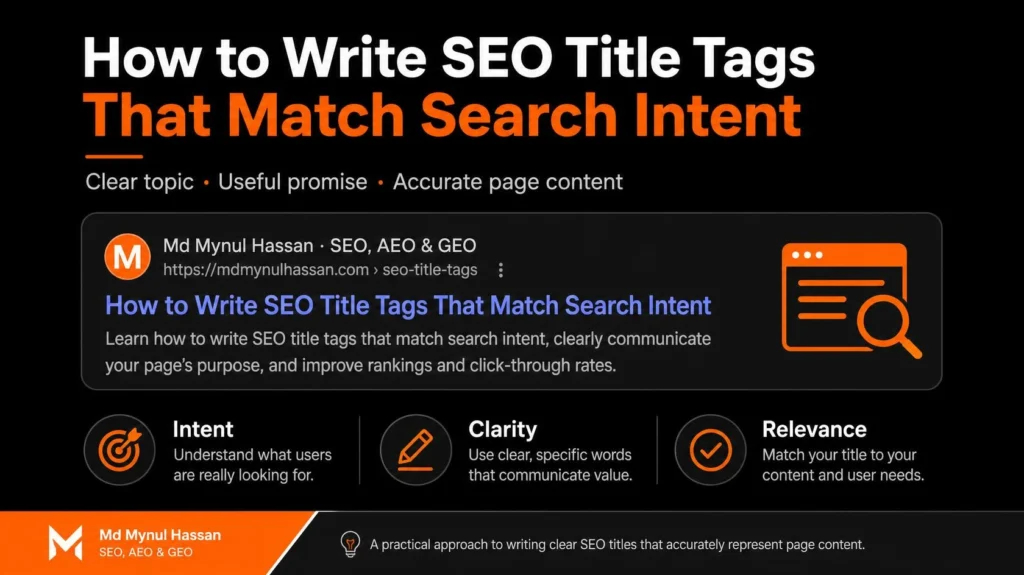
An effective SEO title tag tells searchers what a page offers and helps them decide whether it matches what they want to find. To write one, identify the dominant search intent, review the current search results, define the page’s main promise, and write a concise, specific title that accurately represents the content.
SEO title tag optimization is not simply a matter of inserting a keyword or staying below an arbitrary character count. A title for an informational guide should communicate something different from a title for a service page, product category, or comparison article.
This guide explains how to identify the right intent, develop title options, check Google’s displayed title, and evaluate whether an update improved search performance.
What Is SEO Title Tag Optimization?
SEO title tag optimization is the process of improving a webpage’s HTML <title> element so it accurately describes the page, aligns with the target query, and presents a clear reason for relevant searchers to consider the result.
The title element is part of a webpage’s HTML metadata. It commonly supplies the text shown as the clickable headline in Google Search, although Google may generate a different title link using other page content and references.
A useful title should meet three conditions:
Relevance: It reflects the topic and intent behind the target query.
Accuracy: The page delivers what the title promises.
Clarity: A searcher can understand the page’s subject without decoding vague marketing language.
For example, a page targeting the query how to optimize title tags should explain the process. A title such as “Professional SEO Services for Business Growth” is too broad because it does not tell the searcher that the page is a practical guide.
A better option is “How to Optimize SEO Title Tags: A Practical Guide.”
The title should represent the page’s real purpose. If you need to align keyword targeting, metadata, headings, and content structure across an existing website, start with a focused on-page SEO service rather than changing titles in isolation.
Why Search Intent Matters More Than a Keyword Formula
Search intent describes what a person is trying to accomplish with a query. The same broad topic can lead to several different expectations, and each may require a different page type.
Consider these searches:
| Search query | Likely intent | Suitable title direction |
|---|---|---|
| What is title tag SEO? | Informational | Definition and explanation |
| How to optimize title tags | Informational or how-to | Practical guide |
| Best SEO title checker | Commercial investigation | Tool comparison or review |
| SEO title optimization service | Commercial or transactional | Service page |
| SEO title tag vs H1 | Comparison | Difference-focused guide |
These intent classifications are interpretations of likely searcher needs. The actual search results should be checked for the target country and query.
A common mistake is assigning every keyword containing “SEO” to the same page type. Search volume does not tell you whether searchers want to learn, compare, or hire someone.
Before drafting a title, determine which result format is most consistent with the query. If people are looking for an instructional guide, a service-focused title is unlikely to communicate the best match. If the search is commercially focused, a generic educational title might obscure the service being offered.
This is why title optimization should start with keyword research and search-intent analysis. The goal is to understand the searcher before choosing wording.
How to Write an SEO Title Tag That Matches Search Intent
Use the following workflow for blog posts, service pages, product pages, category pages, and landing pages.
Step 1: Identify the dominant intent
Start with the exact query you want a page to serve.
Ask what the searcher is likely trying to achieve. Are they learning a concept, completing a task, comparing options, troubleshooting a problem, or looking for a provider?
Write a short intent statement before drafting the title.
For example:
Query: “How to write SEO title tags”
Intent statement: “The searcher wants a practical process with examples they can apply to a webpage.”
That statement gives you a useful test for every proposed title.
A title such as “SEO Metadata Explained” might be relevant but too broad. “How to Write SEO Title Tags With Practical Examples” communicates the task and the expected content.
Step 2: Review the actual search results
Search the target query in the market you intend to serve. Review the organic results and look for recurring patterns rather than copying a competitor’s wording.
Check:
Whether the results are primarily guides, service pages, tools, product pages, or comparisons.
Whether titles emphasize a task, benefit, definition, audience, or comparison.
Whether searchers appear to need an introductory explanation or advanced implementation advice.
Which important questions competing pages answer.
What useful information is missing or poorly explained.
Use several relevant results. One competitor’s title may reflect a unique positioning strategy rather than the dominant intent.
SERP research also changes over time. Recheck the results before major content updates, especially for software, AI, or other topics where information becomes outdated quickly.
Step 3: Define the title’s central promise
A title should communicate the most useful thing a person can expect from the page.
A reliable editorial formula is:
Primary topic + intent-specific value + optional differentiator
For example:
Topic: SEO title tags
Intent-specific value: learning to match search intent
Differentiator: practical examples
Result: “How to Write SEO Title Tags That Match Search Intent.”
Do not force all three parts into every title. Some pages need only a clear product or service name. Others benefit from a modifier such as “guide,” “checklist,” or “comparison.”
The promise also needs to be proportionate to the content. Do not call an introductory article a definitive expert handbook if it lacks the depth to support that description.
Step 4: Put the most important information early
Lead with the subject or action when doing so makes the title easier to understand.
For example:
Less direct: “A Complete Introduction to the Important Details of Website Title Optimization”
More direct: “Website Title Optimization: A Practical Guide”
The revised version gives the reader the topic earlier and removes unnecessary wording.
However, front-loading a keyword is not an absolute rule. Natural language, clarity, and intent come first. A title that begins with the main query awkwardly can be worse than one that communicates the page’s purpose in plain language.
Step 5: Make the title distinctive
Two pages on the same website should not use nearly identical titles if they serve different purposes.
Suppose a website has three resources:
A guide explaining title tags.
A service page offering on-page optimization.
A tutorial showing how to audit title tags in WordPress.
They might use:
“How to Write SEO Title Tags That Match Search Intent”
“On-Page SEO Service for Better Page Relevance”
“How to Audit SEO Title Tags in WordPress”
Each title reflects a different page purpose. This reduces ambiguity for searchers and creates a more coherent relationship between the pages.
Step 6: Verify the title against the actual page
Before publishing, check the title alongside the H1 and opening paragraph.
A simple test is to ask someone who has not read the page what they expect to learn from the title. Then check whether the actual content fulfils that expectation.
If the title promises a comparison, the page should compare the options. If it promises a tutorial, the page should explain the steps. If it promises a service, the service page should clearly describe the offering and the next action.
This final verification is critical. A compelling title cannot compensate for a page that serves the wrong intent.
How Long Should an SEO Title Be?
There is no fixed character limit for the HTML title element in Google’s documentation. The visible title link may be shortened to fit the available display width, which can vary between search contexts and devices. Google recommends descriptive, concise titles rather than overly long or vague ones. See Google’s official title-link guidance.
As a practical editing guideline, begin by testing titles around 50–60 characters, then evaluate the complete wording in a search-result preview. Treat this as a heuristic, not an eligibility rule or a guarantee that Google will display the title unchanged.
For example:
| Draft title | Issue | Better approach |
|---|---|---|
| SEO | Too vague | Explain what the page covers |
| Best SEO Title Tag Optimization Services for Every Business Worldwide | Unnecessarily broad and long | Focus on the actual service and audience |
| How to Write SEO Title Tags That Match Search Intent | Specific and descriptive | Retain if it accurately represents the guide |
Do not delete meaningful words just to achieve a particular number. A concise title that omits the subject or misrepresents the content is not an improvement.
When checking the display, consider the title’s rendered width as well as its character count. Different letter widths affect how much text can fit.
SEO Title Formulas and Examples by Page Type
The best formula depends on the page’s purpose. Use the following examples as starting points, then adapt them after reviewing your SERP and audience.
| Page type | Example title | Why it fits |
|---|---|---|
| Informational article | How to Write SEO Title Tags That Match Search Intent | Names the task and the reader’s goal |
| Definition page | What Is an SEO Title Tag? A Clear Explanation | Signals an introductory answer |
| Comparison article | SEO Title Tag vs H1: What’s the Difference? | Names both subjects and the comparison |
| Service page | On-Page SEO Service for Better Page Relevance | Names the service and its practical purpose |
| Product category | Running Shoes for Trail and Road Running | Describes the product category and use |
| Troubleshooting guide | Why Google Rewrites Title Tags and What to Check | Identifies a problem and promises diagnosis |
| Tutorial | How to Audit Title Tags in WordPress | Identifies the task and platform |
These are illustrative examples, not titles copied from live search results.
A title formula is useful only if it makes the page easier to understand. Do not add words such as “best,” “ultimate,” “proven,” or a year simply because they appear in competing results. Use them only when they accurately describe the material and help the intended reader choose the result.
Where Should the Primary Keyword Go?
The primary keyword should appear naturally when it helps identify the page’s subject. Putting it near the beginning can improve clarity, but repeating the same phrase several times adds little value.
Compare:
Weak: “SEO Title Tag Optimization: SEO Title Tags for SEO Title Tag Ranking”
Better: “SEO Title Tag Optimization: Match Titles to Search Intent”
The improved title identifies the subject without awkward repetition.
Use the keyword map to establish the primary topic, then include relevant modifiers when they add useful context. For this article, “title tags,” “search intent,” and “page title optimization” are meaningful concepts. They do not all need to appear in the title itself.
The same principle applies to the rest of the page. Headings and body copy should explain the relevant subtopics rather than repeat keyword variations mechanically.
If you are optimizing a group of existing pages, connect title revisions to the wider content plan. A structured content strategy and SEO writing process can help keep each page focused on a distinct search need.
SEO Title Tag vs H1 vs Meta Description
These elements have different roles, even when they use similar wording.
| Element | Main purpose | Optimization priority |
|---|---|---|
| HTML title tag | Supplies a title that may be used in the search-result title link and browser interface | Make it concise, relevant, and descriptive |
| H1 | Communicates the page’s main visible heading | Match the page’s primary topic and organize the content clearly |
| Meta description | Provides a suggested summary that Google may use for the search snippet | Explain the page’s value accurately |
| Opening paragraph | Establishes the subject and delivers the first substantive answer | Satisfy the main intent quickly |
The title tag and H1 do not have to use identical wording. They should, however, be consistent about the page’s central subject.
For instance, the title may be “How to Write SEO Title Tags That Match Search Intent,” while the H1 is “How to Write SEO Title Tags That Match Search Intent: A Practical Guide.” Both describe the same resource.
The meta description can provide additional context without repeating the entire title. Google may choose a snippet from the page content instead of the supplied meta description, so write a helpful description while ensuring the opening content also represents the page accurately.
For technical background, consult Google’s documentation on title links and its guidance on search snippets and meta descriptions.
Why Google May Rewrite Your Title Tag
Google may show a search-result title that differs from the HTML title you supplied. Its title-link systems can use information from the title element, the main visual heading, other headings, prominent text, link text, and other page references.

A rewrite does not automatically prove that a page has a serious SEO problem. The relevant question is whether the displayed title still represents the page accurately and whether the underlying title could be clearer.
Check these issues when Google shows a different title.
The title is vague. A broad label such as “Our Services” may give Google and searchers little information about the page’s specific purpose. Use a descriptive title that identifies the subject.
The title conflicts with the H1. If the title promises a tutorial but the visible heading promotes a service, the page may communicate inconsistent purposes. Align the title and main heading around the actual page intent.
The title repeats keywords. Repetition can make a title look unnatural without providing additional information. Remove redundant phrases.
The title contains boilerplate. A sitewide suffix or branding template can crowd out the page’s unique topic. Review automatically generated title templates and keep the branding proportionate.
The title is outdated. If the page has changed substantially, update the title and visible content together. Do not retain an old year or claim merely because it used to be accurate.
Google may still choose alternative wording after these fixes. You can influence the title link through clear page signals, but cannot force the exact wording to appear in every search.
Where title changes are part of a broader site problem, a prioritized SEO audit can help distinguish metadata issues from technical, content, indexing, and site-structure problems. Technical investigation may also be necessary if the page has crawl, canonical, or rendering issues, which are covered by a dedicated Technical SEO Service.
How to Measure Whether a Title Change Worked
Use Google Search Console to examine the search performance of the page before and after a title revision. The Performance report provides clicks, impressions, CTR, and average position for search activity. Google’s documentation explains how to interpret these metrics and use Search Console data. See Google’s guide to Search Console and Analytics data.
Use a repeatable evaluation process.
1. Record a baseline
Before editing the title, record the date range, page URL, major queries, impressions, clicks, CTR, and average position.
Where possible, compare equivalent date ranges and separate branded from non-branded queries. This helps you understand whether the page’s visibility or query mix changed independently of the title.
2. Identify the reason for the change
Be specific about the issue you are trying to address.
For example, the title might be too vague, may not reflect the query’s intent, or may describe a benefit the page does not deliver. Record the hypothesis so you know what the revision is intended to improve.
3. Change the title and verify the page
Update the title tag in your CMS or SEO plugin. Verify the rendered HTML, the H1, and the meta description. Make sure a theme or plugin has not generated an unexpected title.
Avoid changing several unrelated elements simultaneously if your goal is to understand the effect of the title revision.
4. Allow time for Google to recrawl the page
Google needs to recrawl and reprocess the page before changes necessarily appear in search results. The timing varies, so a title update should not be judged immediately after publishing.
5. Compare the same metrics and relevant queries
Review how clicks, impressions, CTR, and average position changed after the revision. Examine the queries responsible for the change, not just the page’s aggregate CTR.
A higher CTR may reflect an improved title, a better average position, a changed query mix, or several factors together. A lower CTR might occur even if the title is better, especially when impressions expand to broader searches.
6. Decide whether to retain or revise the title
Keep a title when it accurately represents the content and the available evidence supports retaining it. Revise it when the title remains vague, misleading, misaligned, or inconsistent with the page’s actual purpose.
Do not repeatedly change a title every few days in response to normal fluctuations. Use a consistent observation window and change one meaningful element at a time where practical.
When evaluating a page’s performance, remember that page relevance, technical accessibility, page experience, and the content itself remain important. Title optimization cannot compensate for every underlying SEO issue. For websites requiring implementation across WordPress templates, metadata, and page structure, a WordPress SEO review can help identify related problems.
Practical Example: Choosing the Right Title
Consider a hypothetical business that publishes an article about optimizing title tags.
Its initial title is:
“SEO Services and Website Optimization Tips”
The title is not necessarily inaccurate, but it mixes a commercial service topic with a broad informational subject. A person searching for a hands-on title-tag tutorial may not understand whether the result is a guide or a service page.
The editor reviews the query, checks the current search results, and confirms that the article teaches title writing through a process and practical examples.
The revised title becomes:
“How to Write SEO Title Tags That Match Search Intent”
The revision names the task and clarifies the intended outcome. The article then needs to deliver on that promise with intent research, title formulas, examples, and implementation guidance.
The lesson is not that the revised title will automatically rank higher. It is that the second version communicates the page’s purpose more clearly, allowing a more meaningful evaluation of relevance and search performance.
For pages where unclear messaging affects enquiries, title work can be considered alongside a broader conversion rate optimization process. The purpose is to maintain consistency between what a search result promises and what a visitor finds after clicking.
Common SEO Title Tag Mistakes
Treating 60 characters as an absolute limit
There is no universally correct character count. A title should be concise enough to communicate its meaning clearly and should be reviewed as a rendered search-result title.
Writing for keywords rather than people
A title can contain the right terms but still fail to explain the page. Read it as a potential visitor would, without assuming they already understand the topic.
Making the title more persuasive than the content
Do not advertise results, data, features, or guarantees that the page cannot support. A title should help the right audience identify the right resource, not create an inaccurate expectation.
Duplicating titles across important pages
Similar titles can blur the distinction between two pages. Review duplicate-title reports and determine whether the pages serve different intents or whether their content should be consolidated.
Ignoring what appears in the SERP
Your HTML title is not always the same as the headline searchers see. Check relevant searches periodically and compare the displayed title with your implementation.
Changing titles without recording why
Unrecorded edits make it difficult to learn what improved or weakened the page’s performance. Keep a short change log containing the old title, new title, reason, edit date, and evaluation period.
Confusing title optimization with the entire SEO process
A title is one part of on-page SEO. Clear content, useful internal links, appropriate technical implementation, and coherent page design also matter. A page with structural or usability problems may need a broader review, including its SEO-friendly web design and site architecture.
SEO Title Tag Optimization Checklist
Use this checklist before publishing a new page or revising an existing one.
If the title is part of a wider content refresh, review whether the page needs improved internal links, clearer headings, stronger evidence, or updated information. For content intended to answer more complex questions in modern search experiences, consider how the article fits into your wider AEO and GEO consulting strategy. You can also explore how Google AI Overviews choose sources to understand the broader relationship between page clarity, supporting evidence, and AI-driven search.
A useful title should leave the searcher with an accurate expectation. The practical next step is to choose one important page, inspect the intent behind its target queries, and make a measured revision based on what the page actually delivers.
Connect With Md Mynul Hassan
For more information about my SEO approach, visit the About Md Mynul Hassan page or read about my SEO strategy and working approach.
You can also find me on these professional platforms:
Upwork: Hire Md Mynul Hassan on Upwork
Freelancer.com: View my Freelancer.com profile
LinkedIn: Connect with Md Mynul Hassan
YouTube: Watch my SEO content on YouTube
Facebook: Follow Md Mynul Hassan on Facebook
For an SEO review, visit the contact page.