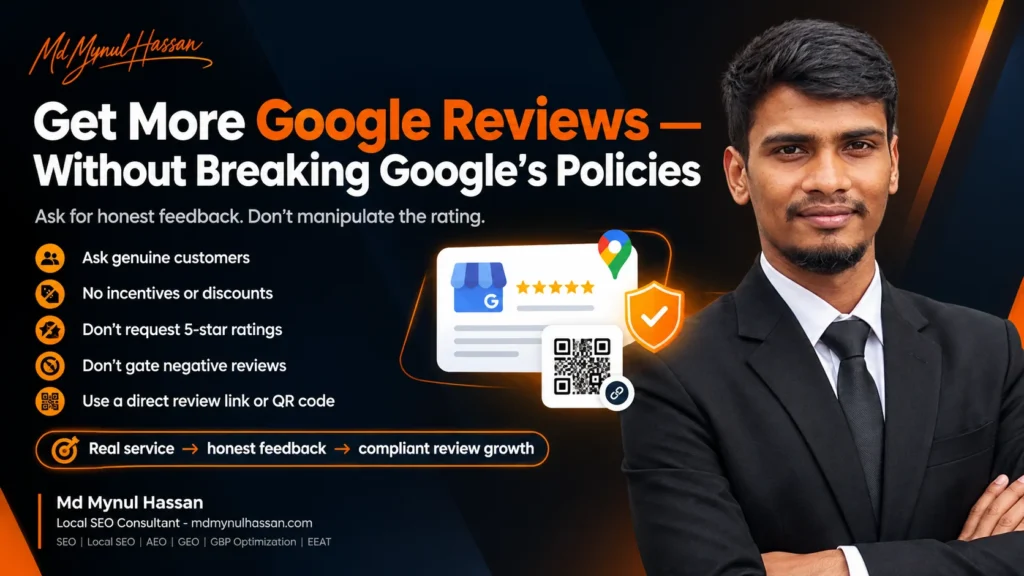
Getting more Google reviews for an auto repair shop does not require buying reviews, offering discounts for five-star ratings, or creating a system that only sends review requests to customers who say they are happy.
Google allows businesses to ask customers for reviews when those reviews reflect genuine experiences. The risk comes from manipulating the rating or content of those reviews through incentives, selective solicitation, pressure, or instructions about what customers should write.
For an auto repair shop, a safer approach is straightforward:
Give real customers an easy way to leave honest feedback after a genuine service experience, without trying to control the outcome.
This guide explains how to build that process, what Google allows, what can violate its policies, how to use review links and QR codes, how to handle negative reviews, and how review activity fits into a broader local SEO strategy.
Can Auto Repair Shops Ask Customers for Google Reviews?
Yes. Auto repair shops can ask genuine customers for Google reviews. The request should simply invite honest feedback rather than attempting to influence the customer’s rating, wording, or decision.
Google specifically recommends reminding customers to leave reviews and provides businesses with a direct review link or QR code that can be shared with customers. Google also states that reviews should represent genuine experiences. Google’s official guidance on getting more reviews explains this process in detail.
That means a repair shop can say:
“Thanks for choosing us. We’d appreciate your honest feedback about your experience.”
But the shop should avoid language such as:
“Please leave us a five-star review.”
The first request leaves the decision with the customer. The second attempts to influence the rating.
That distinction is at the center of a policy-safe review strategy.
What Does Google’s Review Policy Prohibit?
Google’s Business Profile policies prohibit several practices that can manipulate ratings or review content.
For an auto repair shop, the main areas to watch are:
- Paying for reviews
- Offering discounts or free services for reviews
- Asking customers to change or remove negative reviews in exchange for a benefit
- Discouraging negative reviews
- Selectively asking only likely-positive customers for reviews
- Pressuring customers to leave a review while they are on the premises
- Asking customers to use specific words or mention particular employees
- Creating or encouraging reviews that do not reflect genuine customer experiences
Google classifies incentivized or biased reviews as prohibited content. Its policy also specifically prohibits merchants from discouraging negative reviews or selectively soliciting positive reviews. Google’s prohibited and restricted content policy provides the current requirements.
The practical rule is easy to remember:
Ask for honest feedback, not a predetermined rating.
Why Reviews Matter for an Auto Repair Shop
Reviews serve two different purposes.
First, they give prospective customers information about other people’s experiences.
Second, reviews are one of the signals Google considers within local search. Google says local results are mainly based on relevance, distance, and prominence, and notes that review count and positive ratings can contribute to prominence. Google’s local ranking guidance explains these broader local ranking factors.
That does not mean a shop can simply collect a particular number of reviews and expect a particular ranking.
Local search is not that predictable.
A business still needs accurate Business Profile information, appropriate services, a useful website, relevant local content, and a credible overall presence.
For that reason, reviews work best as part of a broader Local SEO strategy rather than as an isolated tactic.
The Safest Review Strategy Is a Repeatable Customer Workflow
Many auto repair shops already have hundreds or thousands of completed service interactions.
The problem is often not a lack of customers.
It is a lack of a consistent review-request process.
A customer may finish a brake repair, pay the invoice, collect the vehicle, and leave completely satisfied. Nobody asks for feedback, so the experience never becomes a public review.
A simple workflow can change that:
Complete the service → explain the work → complete checkout → invite honest feedback → send the review link
The key is consistency.
Instead of telling employees to “get more five-star reviews,” give them a neutral process they can repeat.
Step 1: Finish the Customer’s Service
Make sure the approved repair or maintenance work has actually been completed.
This might include:
- Brake repair
- Oil and filter service
- Tire service
- Wheel alignment
- Vehicle inspection
- Engine diagnostics
- Air-conditioning repair
- Battery replacement
- Scheduled maintenance
- Major mechanical repairs
The review request should follow a real customer interaction, not an invented or artificially created transaction.
Step 2: Explain What Was Done
Especially with repair work, customers should understand the service they received.
A clear handoff can include:
- What was inspected
- What was repaired
- Which parts were replaced
- What maintenance was completed
- Any recommendations that genuinely apply
This is good customer service regardless of whether a review is requested.
Step 3: Ask for Honest Feedback
A service advisor can say:
“Thanks for choosing us. We’ll send you a Google review link if you’d like to share your honest experience.”
That request is neutral.
There is no five-star instruction.
There is no reward.
There is no suggested wording.
Step 4: Send the Direct Review Link
Google provides businesses with a direct review link and QR-code option. Its guidance says businesses can share the link or QR code on receipts, in thank-you emails, at the end of chat interactions, and in physical locations. Google’s review-link and QR-code instructions
For a repair shop, this can be especially useful because customers do not need to search for the business manually.
Step 5: Let the Customer Decide
Once the request has been sent, leave the review decision to the customer.
Do not send repeated pressure messages.
Do not ask them to change a rating because it was lower than expected.
Do not tell them what the review should say.
The purpose of the request is to make honest feedback easier to provide.
How to Use a Google Review QR Code at an Auto Repair Shop
A QR code can be a practical part of the review process.
Google explicitly provides businesses with a way to create a review QR code. Google’s review QR-code documentation explains how to create and share it.
A repair shop could place the QR code:
- Near the service counter
- On a printed receipt
- On a customer thank-you card
- On a vehicle service document
- In a post-service email
- In an appropriate follow-up message
The wording around the QR code matters.
Better wording
Share your honest experience on Google.
Wording to avoid
Give us 5 stars on Google.
The QR code itself is not the problem.
Trying to influence the customer’s response is.
Do Not Offer Discounts in Exchange for Reviews
This is one of the clearest mistakes an auto repair shop should avoid.
Google prohibits incentives offered in exchange for posting a review, changing a review, or removing a negative review. Incentives can include payments, discounts, and free goods or services. Google’s review guidance
Examples include:
Do not use:
“Leave a Google review and get $10 off your next oil change.”
“Post a five-star review and receive a free car wash.”
“Review us today and enter our giveaway.”
“Change your one-star review and we’ll refund $50.”
The problem is the relationship between the benefit and the review.
A shop can run legitimate promotions for customers, but the promotion should not depend on posting, changing, or deleting a Google review.
Do Not Ask Only Happy Customers for Reviews
This is another major policy issue.
Suppose a service advisor asks:
“Are you happy with the service?”
If the customer says yes, the advisor sends the Google review link.
If the customer says no, the advisor sends a private complaint form instead.
That creates a selective review process.
Google explicitly prohibits merchants from discouraging negative reviews or selectively soliciting positive reviews. Google’s Business Profile content policy identifies this type of rating manipulation as prohibited.
A more neutral workflow is:
Eligible customer → same opportunity to provide genuine feedback
The customer may leave a positive review.
They may leave a critical review.
They may choose not to review at all.
That is part of genuine customer feedback.
Do Not Tell Customers What to Write
An auto repair shop may want reviews to mention particular services.
For example:
“Please mention that we fixed your transmission.”
Or:
“Please mention our technician John.”
Or:
“Use the words affordable auto repair in your review.”
That approach is unnecessary and can conflict with Google’s policy against requesting specific review content. Google’s prohibited-content policy
There is a big difference between explaining what happened and scripting the review.
You can say:
“We completed the transmission repair you approved.”
You should let the customer decide what to write about that experience.
Do Not Pressure Customers to Review While They Are at the Counter
An employee saying:
“Can you leave the review right now?”
can create unnecessary pressure, particularly if the customer is still standing at the checkout desk.
Google states that merchants should not require or pressure users to leave ratings or write reviews while on the premises. Google’s policy guidance
A QR code can still be available in the shop.
A staff member can still mention the review opportunity.
The important distinction is between making the option available and pressuring the customer to complete it immediately.
Create One Review Request Process for the Whole Team
A review strategy becomes much easier to manage when everyone follows the same process.
Create a short internal standard:
After eligible service completion:
- Confirm the customer received the completed service.
- Explain the work clearly.
- Complete the normal checkout.
- Mention the review opportunity neutrally.
- Send the direct Google review link.
- Record that the request was sent if your CRM or service system supports it.
- Do not influence the rating or review wording.
This can be documented as part of the shop’s customer-service process.
It also prevents one employee from using aggressive review tactics while another employee follows a completely different approach.
Review Requests Should Match the Customer Journey
A customer who just completed a major repair may be in a different situation from a customer who came in for a quick tire-pressure check.
The review request should therefore fit the actual interaction.
For example:
Major repair
“Thanks for trusting us with your vehicle. We appreciate your honest feedback about your repair experience.”
Routine maintenance
“Thanks for choosing us for your vehicle service. If you’d like to share your honest experience, here’s our Google review link.”
Follow-up after service
“We hope everything is working well after your recent service. If you’d like to share your experience, you can leave an honest Google review here.”
These messages are useful because they are connected to a real customer interaction rather than being generic marketing campaigns.
What About Repeat Customers?
Repeat customers can have multiple genuine experiences with the same repair shop.
A customer may visit for an oil change in January, brake work in April, and air-conditioning repair in July.
Each is a separate customer interaction.
The important consideration is not to create a system that repeatedly pressures someone to review the same experience.
A practical approach is to associate review requests with meaningful completed service interactions.
The objective is a reliable process, not a constant stream of review reminders.
How Should Auto Repair Shops Respond to Reviews?
Getting the review is only part of the process.
Google recommends replying to reviews and says that businesses can use customer feedback to understand customer expectations and improve future experiences. Google’s guidance on getting more reviews
A good response should acknowledge the actual review without turning the response into an advertisement.
Example response to a positive review
“Thank you for choosing our shop. We’re glad we could help with your recent brake service, and we appreciate you taking the time to share your experience.”
Example response to a critical review
“Thank you for sharing your concerns. We take customer feedback seriously. Please contact our service team directly so we can review the details with you.”
Do not publish private customer information.
Do not insult the reviewer.
Do not threaten the reviewer.
Do not demand that a customer delete a negative review.
Your response is public, so it is also part of the business’s reputation.
A Negative Review Is Not Automatically a Policy Violation
A negative review can be genuine.
A customer may have had a poor experience, misunderstood a repair recommendation, disagreed with a price, or experienced a service problem.
That does not automatically make the review fake.
Google’s guidance says negative reviews can provide useful information about customer expectations and potential areas for improvement. Google’s review guidance
The better question is:
Does the review violate Google’s content policies?
Examples of potentially problematic content can include fake engagement, conflicts of interest, prohibited content, or other violations of Google’s Maps user-contributed-content rules. Google’s prohibited and restricted content
When a genuine policy violation exists, use Google’s reporting process rather than attempting to retaliate.
What Happens When a Business Violates Google’s Review Policies?
Google may remove policy-violating reviews or impose restrictions on a Business Profile in certain circumstances.
Google’s current policy documentation says possible restrictions can include temporarily preventing new reviews or ratings, temporarily unpublishing existing reviews or ratings, or displaying a warning to consumers that fake reviews were removed. Google’s Business Profile restrictions guidance
That is one reason review shortcuts are a poor foundation for a long-term local search strategy.
A shop should build its reputation from real customers rather than trying to manufacture the appearance of customer satisfaction.
Reviews Are Only One Part of Local SEO
Getting reviews is important, but an auto repair shop should not build its entire local search strategy around reviews.
Google’s own local ranking guidance identifies relevance, distance, and prominence as the main local ranking factors. Google also recommends keeping business information complete and accurate, responding to reviews, and adding useful photos and videos. Google’s local ranking guidance
Your wider strategy can include:
- Google Business Profile optimization
- Service-page optimization
- Local keyword research
- Local content
- Technical SEO
- Internal linking
- Website performance
- Conversion optimization
- Review management
- Accurate business information
For example, Google Business Profile Optimization can support the profile side of the strategy, while Keyword Research can help identify the actual services and searches that deserve attention.
A shop’s website also needs to explain its services clearly. That’s where On-Page SEO and SEO Content Strategy and Content Writing can fit into the wider system.
Make Sure Your Website Supports the Google Business Profile
Your Google Business Profile should not exist in isolation from the website.
The website should make it clear:
- What services the shop provides
- Where the shop operates
- Which vehicle services are available
- How customers can contact the business
- How customers can request service
- What makes the business relevant to the local market
For service businesses, this relationship between the Business Profile and website is especially important.
A Local SEO Audit can review local keyword targeting, Business Profile alignment, local landing pages, business information consistency, competitors, citations, internal links, Google Maps visibility, and review considerations.
Do Not Ignore Technical SEO
Sometimes a local business has a good service offering but the website has technical problems.
Examples include:
- Important pages not being indexed
- Broken internal links
- Poor site architecture
- Incorrect canonical tags
- Redirect problems
- Sitemap issues
- Structured-data errors
- Mobile usability problems
- Slow pages
These are not review problems.
They are website problems.
A Technical SEO service can examine the technical foundation, while WordPress SEO is relevant when the repair shop website runs on WordPress.
Website performance matters too. A slow service page can make it harder for a potential customer to move from Google search to an appointment, phone call, or enquiry. Website Speed Optimization can be considered when performance is part of the problem.
Connect Reviews With the Customer Conversion Path
Reviews can help prospective customers evaluate a business, but the website still needs to make the next action obvious.
A visitor might arrive after searching:
auto repair near me
They may then:
Open Google Business Profile → read reviews → visit website → inspect services → call or request an appointment
That means a repair shop should think beyond review count.
The website should help the visitor answer:
What do you repair?
Where are you located?
How can I contact you?
How do I book or request service?
Why should I trust the information on this site?
This is where Conversion Rate Optimization can support the wider SEO strategy.
A Simple Review Request Template for Auto Repair Shops
Here’s a reusable version:
Thanks for choosing [Shop Name] for your recent vehicle service. We appreciate your business. If you’d like to share your experience, you can leave an honest Google review here: [Google Review Link]
This works because it does not:
- Request a specific rating
- Offer an incentive
- Ask for specific wording
- Discourage negative feedback
- Require the customer to leave a review
It simply makes the opportunity available.
What Auto Repair Shops Should Never Do
Keep this list visible for staff training.
Do not buy Google reviews.
Do not pay customers for reviews.
Do not offer discounts for reviews.
Do not offer free services for reviews.
Do not ask only happy customers for reviews.
Do not ask customers to leave five-star ratings.
Do not tell customers what words to use.
Do not pressure customers to review while they are at the shop.
Do not ask customers to remove negative reviews in exchange for a benefit.
Do not create reviews for your own business.
Do not ask employees, family members, competitors, or unrelated people to review the business when they do not have a genuine customer experience.
Google’s current review policies are the final reference point when designing a review process. Review practices can also change, so shop owners should check Google’s official documentation before introducing a new campaign. Google Business Profile review policies
A Practical Auto Repair Google Review Checklist
Before asking
- The customer had a genuine interaction with the business.
- The service was actually provided.
- The business knows which Google Business Profile belongs to the shop.
- The direct review link is ready.
During the request
- Ask for honest feedback.
- Keep the request neutral.
- Make the process easy.
- Do not offer a reward.
- Do not request a particular rating.
- Do not request particular wording.
- Do not pressure the customer.
After the review
- Monitor new reviews.
- Respond appropriately.
- Protect customer privacy.
- Learn from recurring complaints.
- Report reviews that genuinely violate Google’s policies.
How to Measure Whether Your Review Process Is Working
Do not look only at the total review count.
Track the process behind it.
Useful internal metrics include:
- Number of eligible customer transactions
- Number of review requests sent
- Percentage of eligible customers who received a request
- Number of reviews received
- Review frequency over time
- Common customer-feedback themes
- Response rate to reviews
- Recurring service complaints
- Positive comments about specific parts of the customer experience
This gives the shop something more valuable than a single number.
For example, if reviews repeatedly mention clear explanations from service advisors, the shop has evidence that customers value that communication.
If customers repeatedly complain about unexpected charges, that may indicate a process problem that deserves investigation.
The review program can therefore support customer experience as well as reputation.
Final Takeaway
The safest way for an auto repair shop to get more Google reviews is not to manipulate the rating.
It is to create a consistent process for asking genuine customers for honest feedback.
The basic system is:
Real customer → genuine service → neutral request → direct Google review link → honest feedback → professional response
Avoid incentives.
Avoid review gating.
Avoid pressure.
Avoid scripted reviews.
Avoid asking for five-star ratings.
And keep the wider local SEO foundation strong through accurate Business Profile information, useful service pages, relevant content, technical SEO, internal linking, and a clear customer conversion path.
Reviews should represent the customer experience.
They should not be manufactured to create an artificial reputation.
Frequently Asked Questions
Can an auto repair shop ask customers for Google reviews?
Yes. Google allows businesses to ask customers for reviews and provides direct review links and QR codes to make the process easier. The review should represent a genuine customer experience. Google’s official review guidance
Can an auto repair shop offer a discount for a Google review?
No. Google prohibits incentives such as discounts, free goods, or free services in exchange for posting, changing, or removing a review. Google’s review guidance
Can an auto repair shop ask for five-star reviews?
A shop should not instruct customers to leave a particular rating. Google’s policies prohibit attempts to influence ratings and specifically address biased or selectively solicited reviews. Google’s prohibited-content policy
Is review gating allowed for auto repair shops?
No. Google prohibits businesses from discouraging negative reviews or selectively soliciting positive reviews. Google’s Business Profile policy
Can I put a Google review QR code at my auto repair shop?
Yes. Google provides businesses with a review QR-code option and describes using it in places such as receipts, thank-you communications, and physical displays. Google’s QR-code instructions
Can I tell customers what to write in their review?
You should not request specific content in a review. Let customers decide what aspects of their genuine experience they want to describe. Google’s prohibited-content policy
What should I do about a fake Google review?
First determine whether the review actually violates Google’s policies. Genuine negative feedback should generally be handled professionally rather than reported simply because it is negative. Reviews that genuinely violate policy can be reported through Google’s review-reporting process.
Can Google restrict an auto repair shop’s Business Profile for fake reviews?
Google says Business Profile restrictions can be applied when it determines that a business violated its fake-engagement policies. Possible restrictions can include temporary limits on new reviews, temporary unpublishing of existing reviews, or a warning on the profile. Google’s Business Profile restrictions guidance
Are reviews the only factor in local SEO?
No. Google says local results are mainly based on relevance, distance, and prominence. Reviews are one factor within the broader local-search system. Google’s local ranking guidance
Build a Stronger Local Search Foundation
An auto repair shop needs more than reviews to compete for local search visibility.
The stronger system connects:
Google Business Profile → Services → Website → Local relevance → Reviews → Technical SEO → Content → Internal links → Conversion
For businesses that need help connecting these elements, I provide Local SEO services, Google Business Profile Optimization, SEO Audits, Technical SEO, and related SEO services based on the actual condition of the website and business.
You can also explore AEO & GEO consulting when the broader goal includes making business information and content easier for modern search and AI-driven search systems to understand.
Connect With Md Mynul Hassan
I work remotely with businesses on SEO, Local SEO, Google Business Profile optimization, AEO, GEO, technical SEO, content, and search visibility.
You can find me on:
Based in Bangladesh · Working Worldwide