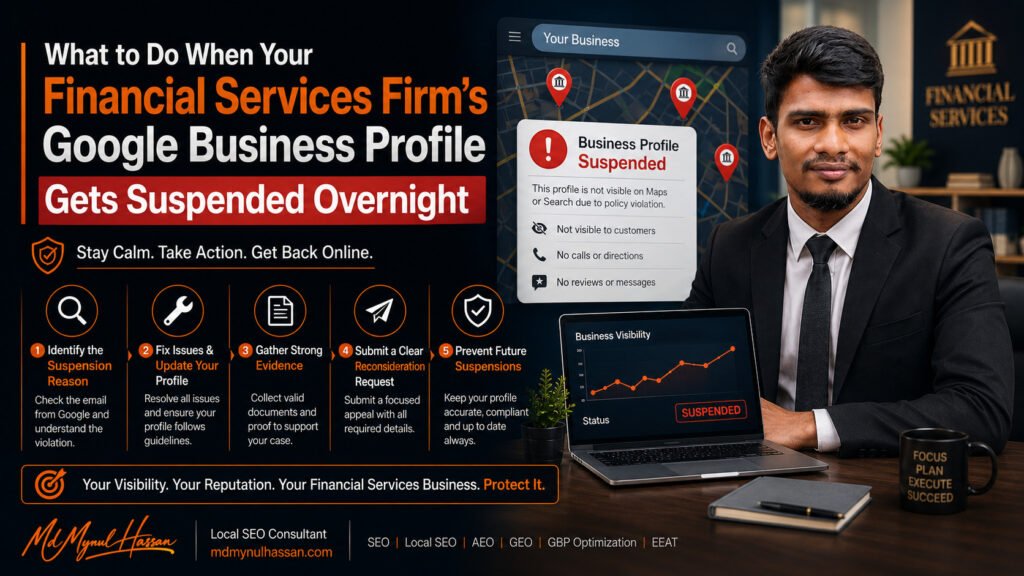
If your financial services firm’s Google Business Profile suddenly shows as suspended, do not create a new listing or start making random edits. First determine whether the problem involves business eligibility, your business name, address, category, duplicate profiles, verification, or the Google Account managing the profile. Then correct the underlying issue, prepare evidence that matches your real business information, and submit the appeal through Google’s official process.
Google states that Business Profiles can be suspended or disabled when they don’t follow its guidelines. A suspended profile can stop appearing publicly, while account restrictions can affect the profiles managed by that account.
For accounting firms, financial advisors, insurance agencies and other financial-services businesses, the safest approach is to treat the suspension as a policy and eligibility investigation, not simply an SEO problem.
First, Confirm What Google Actually Suspended
Before changing anything, identify the type of problem you’re seeing.
A Business Profile suspension means Google has restricted or removed the profile because it believes the profile or business does not comply with its policies.
An account restriction is different. If the Google Account managing the profile is restricted, the Business Profiles associated with that account can also be suspended. Google explains that the account restriction needs to be resolved before the profile suspension can be addressed.
You may also be dealing with a verification problem or a restricted profile feature rather than a complete profile suspension.
Check the notification in the Google Account connected to the profile and identify the policy or moderation reason shown by Google before deciding what to fix.
Why Financial Services Google Business Profiles Get Suspended
Financial services aren’t automatically excluded from Google Business Profiles. The important question is whether the particular business is eligible and accurately represented.
Google says eligible businesses generally need to make in-person contact with customers during their stated hours. Online-only businesses that don’t have a physical location customers can visit and don’t visit customers in person are not eligible for a Business Profile.
That distinction matters for financial businesses.
An accounting firm with a genuine customer-facing office is different from an online-only financial information website.
A financial advisor who genuinely meets clients at an eligible location is different from a lead-generation website.
An insurance agency with a real staffed office is different from a business that only rents a mailing address.
1. The Business Is Not Eligible
Start here.
Ask:
- Does the firm make in-person contact with customers?
- Does it operate from the location shown?
- If it is a service-area business, does it actually travel to customers?
- Is the profile representing a real business rather than a lead-generation operation?
- Is the business information consistent with its real-world operation?
Google specifically identifies online-only businesses and lead-generation companies among businesses that aren’t eligible for a Business Profile.
2. The Address Does Not Represent the Real Business
Address problems are particularly important for financial firms because professional businesses sometimes use serviced offices, coworking spaces, mailing addresses or virtual offices.
Google’s guidelines require businesses to accurately represent their real-world location. A virtual office where the business does not actually operate is not an eligible Business Profile location.
If your accounting firm moved from a genuine office to a virtual office, for example, simply updating the address in GBP may create a serious eligibility problem.
Don’t try to solve that by uploading a lease for a mailing service if the business doesn’t actually operate there.
3. The Business Name Contains Extra Keywords
Your GBP name should represent the firm’s real-world business name.
For example, if the legal and real-world name is:
Smith Financial Advisors
adding:
Smith Financial Advisors | Best Financial Advisor in London
is not an acceptable way to target keywords.
Google states that unnecessary information in the business name isn’t permitted and can result in suspension.
For financial firms, this can happen when someone tries to add services, cities, claims or marketing phrases to the profile name.
The safer approach is simple: use the business’s actual real-world name and place services, categories and locations in the appropriate profile fields.
4. A Duplicate Google Business Profile Exists
Google’s guidelines state that there should generally be only one Business Profile per business. Duplicate profiles can create problems with how the business appears on Google Maps and Search.
This is particularly important for firms with:
- Multiple offices
- Merged practices
- Acquisitions
- Rebranded branches
- Former addresses
- Practitioner profiles
- Separate teams or departments
A legitimate multi-location business can have multiple profiles when each location meets Google’s requirements. The problem is creating multiple profiles for the same business location or using duplicates to manipulate visibility.
Before appealing, search Google Maps for the firm name, phone number, website and address and identify whether another profile represents the same operation.
5. Business Information Does Not Match
Review the profile against your actual business information.
Check:
- Business name
- Address
- Phone number
- Website
- Business hours
- Primary category
- Service area
- Business description
- Location setup
Google advises businesses to represent themselves consistently and accurately and to keep address or service-area information precise.
For a regulated or trust-sensitive industry such as financial services, consistency is especially useful when preparing an appeal.
The Financial Services GBP Suspension Checklist
Before you appeal, work through this sequence:
1. Eligibility
Confirm that the business qualifies for a Business Profile.
2. Business model
Determine whether the firm is a storefront, customer-facing office or genuine service-area business.
3. Business name
Remove unnecessary keywords, locations or marketing claims from the name.
4. Address
Confirm that the listed address is a real operating location and not simply a mailing or virtual office.
5. Category
Make sure the primary category accurately represents the firm’s main business.
6. Duplicate profiles
Search Google Maps for duplicate listings at the same location or representing the same company.
7. Verification
Check whether the profile was properly verified and whether Google is requesting additional verification.
8. Account restrictions
Check whether the Google Account managing the profile has also been restricted.
9. Website consistency
Compare the firm’s website with its GBP information.
10. Evidence
Prepare documents before starting the appeal.
This sequence is more useful than changing several fields and hoping the suspension disappears.
How to Appeal a Suspended Google Business Profile
Once you’ve identified and corrected the underlying problem, use Google’s official Business Profile appeal process.
Google’s current process is straightforward:
- Sign in to the Google Account associated with the profile.
- Open the Google Business Profile appeals tool.
- Select the suspended profile.
- Review the moderation reason and policy shown.
- Submit the appeal.
- If Google offers an evidence form, provide the supporting documentation.
- Submit the evidence within the required time window.
Google currently says that when the evidence form is opened, supporting evidence must be submitted within 60 minutes or it won’t be attached to the appeal.
Google’s official suspended-profile guidance
Do not create another Business Profile for the same business while the appeal is under review. Google explicitly warns against doing this.
What Evidence Should a Financial Firm Prepare?
The strongest evidence is evidence that tells one consistent story.
Google lists documents such as:
- Official business registration
- Business licence
- Tax certificates
- Utility bills
- Electricity bills
- Phone bills
- Water bills
- Internet bills
Google also says the business name and address shown in submitted documents should match the profile being appealed.
For a financial-services business, I would organize the evidence into four groups.
Business Identity
Prepare documents that establish the firm’s legal or registered identity.
Examples can include:
- Business registration
- Professional licence where applicable
- Tax documentation
- Official business records
Location
If the profile displays a physical address, prepare evidence showing that the firm genuinely operates there.
Depending on the business, this can include:
- Utility documentation
- Lease documentation
- Exterior signage
- Interior office photos
- Reception or customer-facing area
- Business directory or building directory evidence
Do not submit an address document that proves only that you receive mail there if the business doesn’t actually operate at that location.
Operations
Show that the business is operating as represented.
For example:
- Business website
- Business cards
- Invoices
- Client-facing materials
- Office photographs
- Professional documentation
- Relevant licensing records
The exact evidence that makes sense depends on the business model and the reason Google gives for the suspension.
Online Consistency
Review the firm’s website and important business listings.
The goal isn’t to create hundreds of citations immediately.
Instead, look for contradictions.
If the GBP says one address while the website says another, or the website uses a different business name from the registration documents, resolve the discrepancy or explain it clearly.
Common GBP Suspension Mistakes Financial Firms Should Avoid
Creating a New Profile Immediately
This is one of the worst reactions to a suspension.
Creating another listing doesn’t fix the underlying policy issue. Google specifically says not to create a new Business Profile for the same business while an appeal is under review.
Changing Everything at Once
Don’t change the name, category, address, phone, website and service area simply to test different combinations.
First identify the likely problem.
Then make the correction that is actually needed.
Using a Virtual Office as a Shortcut
A virtual office may provide a legitimate mailing address for business purposes, but that doesn’t automatically make it an eligible Google Business Profile location.
Google’s guidelines distinguish between a real operating location and a rented mailing address.
Adding Keywords to the Business Name
Don’t try to turn:
ABC Financial
into:
ABC Financial | Financial Advisor London | Investment Planning
The profile name should represent the real-world business name.
Submitting an Appeal Without Evidence
If Google gives you the opportunity to provide supporting evidence, prepare it before submitting the appeal.
A registration document, licence, utility bill or other appropriate documentation can help establish that the business is legitimate and accurately represented.
Repeatedly Appealing the Same Issue
Google’s current appeal documentation says not to submit multiple appeals for the same issue before receiving a decision.
If the first appeal is denied, review the reason, correct remaining issues and use the additional review process when Google makes it available.
How to Prevent Another Google Maps Suspension
Once the profile is reinstated, don’t immediately treat the job as finished.
Build a simple GBP compliance routine.
Keep the Business Name Accurate
Use the real-world business name consistently.
Review Address Changes Carefully
Before changing a location, determine whether the new location genuinely qualifies under Google’s guidelines.
Keep Website and GBP Information Aligned
Your website should accurately communicate:
- Who the business is
- What services it provides
- Where it operates
- How customers can contact it
Your Google Business Profile should tell the same basic story.
Monitor Duplicate Profiles
This is especially important after:
- Office moves
- Mergers
- Acquisitions
- Rebranding
- New locations
- Practitioner changes
Don’t Treat GBP as an Isolated SEO Asset
A strong local search system connects your Business Profile with your website, service pages, location information, internal links, business entities and customer journey.
That is also why I approach Google Business Profile work as part of a wider Local SEO strategy rather than simply changing profile fields.
If your profile needs a deeper review, you can explore my Google Business Profile Optimization Service or my SEO Audit Service. My SEO audit process connects technical issues, content, competitors, internal linking, Local SEO and business priorities rather than treating each issue separately.
When Professional GBP and Local SEO Help Makes Sense
A straightforward suspension with an obvious policy issue may be manageable internally.
Professional help becomes more useful when the situation involves several overlapping problems, such as:
- Multiple profiles
- A recent address change
- Complex business ownership
- Multiple locations
- A denied appeal
- Conflicting business information
- Verification problems
- Account restrictions
- A website and GBP that communicate different business information
- A financial firm operating across several markets
In these situations, the first job is diagnosis.
My approach to Local SEO and Google Business Profile optimization connects the profile with website structure, service pages, search intent, local relevance, technical SEO and conversion paths. You can also review my AEO & GEO Consulting service if your broader goal is to make the business information more consistent and understandable across modern search experiences.
The goal isn’t to promise reinstatement or a particular Google Maps position. Google controls the final moderation decision.
The goal is to identify the actual problem, correct what can be corrected, prepare a clear evidence package and submit an accurate appeal.
Frequently Asked Questions
Why was my financial services Google Business Profile suspended?
Common possibilities include business eligibility problems, inaccurate business information, an ineligible address, duplicate profiles, business-name violations, verification issues or restrictions on the Google Account managing the profile. The exact reason should be checked against the moderation message and Google’s applicable policy.
Can a financial advisor have a Google Business Profile?
Yes, if the business is eligible under Google’s Business Profile requirements. Eligibility depends on how the business interacts with customers and whether it has a qualifying physical location or service-area model. Online-only businesses that don’t make in-person contact are not eligible.
Can a virtual office cause a Google Business Profile suspension?
Yes. A virtual office where the business does not actually operate is not an eligible Business Profile location under Google’s guidelines.
Should I create a new GBP after my financial firm’s profile is suspended?
No, not while the existing appeal is under review. Google explicitly instructs businesses not to create a new Business Profile for the same business during that process.
What documents can support a GBP suspension appeal?
Google identifies official business registration, business licences, tax certificates and utility bills among evidence that can support an appeal. The submitted information should match the business details shown on the profile.
How long does a Google Business Profile appeal take?
Google’s current appeal guidance says appeal reviews and decisions can take up to five working days. That is Google’s stated process guidance, not a guarantee that every case will be resolved within that period.
What happens if my GBP appeal is denied?
First, review the policy reason and identify what remains unresolved. Google may provide an additional review option for denied reinstatement requests, allowing additional evidence to be submitted.
Can duplicate Google Business Profiles cause problems?
Yes. Google says there should generally be only one profile per business, and duplicate profiles can create problems with how information appears in Google Maps and Search.
The Practical Takeaway
A financial services Google Business Profile suspension is not something to solve by creating another listing or repeatedly pressing the appeal button.
Start with the fundamentals:
Check eligibility → verify the business model → audit the name → verify the address → check duplicates → review categories and verification → check account restrictions → prepare matching evidence → submit one clear appeal.
For accounting firms, financial advisors, insurance agencies and other financial-services businesses, the most important question is not simply, “How do I get my listing back?”
It is:
“What does Google believe is wrong with the way this business is represented, and can I prove that the business is eligible and accurately represented?”
That is the question your reinstatement process should answer.
For ongoing visibility after the suspension issue is resolved, connect GBP management with your website, service pages, local search strategy, technical SEO and content rather than treating Google Maps as a standalone channel.